The Briana K Crochet App
A crochet pattern app, tailored to you.
Pick your size once, and the pattern reshapes around you. Your counts, your row, your place. No highlighting, no sticky notes. Free to start, no subscription required.
4.9 ★ from 22,800+ reviews on my patterns · No subscription required · Free account, no card, no trial · Opens in any browser · A free pattern and four free tools the moment you join
Why this exists
Why I built a crochet pattern app
Almost nobody frogs because the pattern was too hard. They frog because somewhere back at the start, they read the wrong number.
A pattern written for more than one size hands you every size at once, the stitch counts stacked up inside brackets, and only one number in each row is yours.
I write those numbers, and I add those brackets. I know exactly what I’m handing over when I do, and I know what happens next, because it’s the same thing that happens in every crochet group. Somebody prints the PDF and highlights their column. Somebody else works twenty rows in the wrong size before the fabric tells them.
So I built the app to take that job back.
The part nobody signed up for
Somewhere along the way, crochet grew an admin department
Crochet is supposed to be the good part of your day. The exhale. Not another thing to manage.
The pattern is in one place
Saved in one place, printed and highlighted, or buried in a folder called Downloads. Never the place you’re actually sitting.
The yarn details are on a receipt
Scribbled on whatever was closest at the time, and good luck finding it again when you run out of the dye lot.
The row counter is your memory
Which is bold of us, honestly. Especially at row 64, with the TV on and somebody asking what’s for dinner.
What you’re actually opening
One crochet app, on whatever you’re holding
Nothing to download. Open stitch.brianakdesigns.com on your phone, tablet, or laptop. Inside, there are four things.
Your shelf
Library
Every Briana K pattern you own, on every device you sign in on.
Four free
Tools
Four free calculators, plus the deluxe builds that took months rather than days.
Browse
Shop
Filter by season, yarn weight, project type, and collection.
All free
Games
Eight of them, for when your wrists are done but you aren’t.
★ ★ ★ ★ ★
22,800 makers have already trusted my patterns
4.9 stars from more than 22,800 reviews across the Briana K Designs shop, and many of those patterns are on the shelf in the app right now, with more every week.
★ ★ ★ ★ ★
I LOVE Briana K’s designs! Her patterns are clearly written and easy to follow, and she has so many supporting videos.
NancyVerified maker
★ ★ ★ ★ ★
Briana’s patterns are always well written, clear and easy to follow. She includes links to her video tutorials as needed.
AnitaVerified maker
★ ★ ★ ★ ★
I really enjoy all of Briana’s patterns, and the video tutorials are always fantastic and super helpful.
LeeVerified maker
The part I’m most proud of
Pick your size, and the pattern reshapes around you
Open a pattern and go to the Pattern tab. The Extend That Mellow Texture Hat comes in six sizes, newborn through large adult, and every button shows the head measurement it fits, so you choose by inches rather than by a word.
Tap Adult. Every stitch count on the screen becomes the Adult count. Not bolded, not highlighted. The other five are simply not there.
Some patterns go further. The Houndstooth Beanie has two brims, fold-up and regular, and choosing between them changes the rows you see rather than adding a paragraph you have to remember to skip.
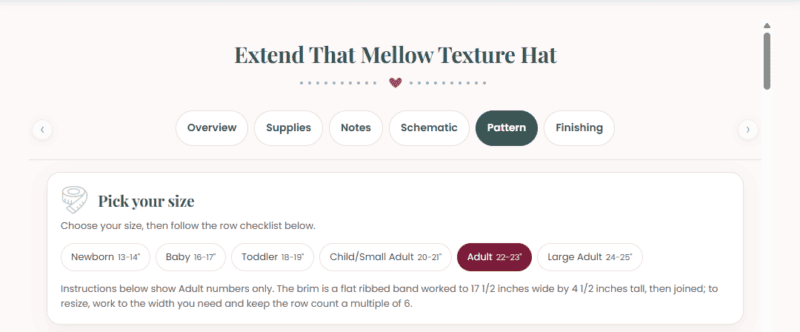
Tailored down to the stitch.
Just your counts, just your row, just your make.
Six sizes, and only one set of numbers on the screen. The Mellow Hat is free on your shelf the moment you join.
On multi color patterns
Pick your colors, and every row tells you which one to grab
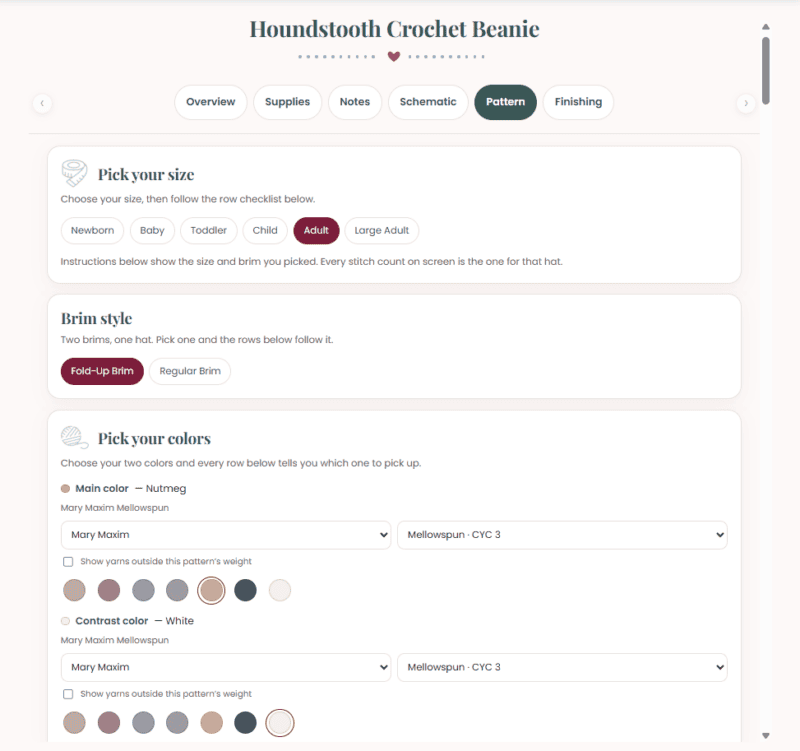
Choose the brand, choose the yarn line, then tap the two colors you’re actually using.
From that point, the pattern stops saying Color A and starts saying Nutmeg. Every single row is labeled with the colorway you picked, in the color you picked, so there’s no translating in your head at the exact moment you’re trying to count.
Substituting? There’s a checkbox to show yarns outside the pattern’s weight, so you’re not boxed into one brand.
Keeping your place
A row counter that ticks off rows as you go
Once you choose your size, the pattern becomes a checklist. Every row is its own line with a box beside it; the current row is outlined so your eye finds it instantly, and a count and a progress bar sit across the top.
Where a pattern has a repeat, the row carries a little badge telling you which pass you’re on, repeat 1 of 4, so you’re not keeping a second count in your head alongside the first.
Prefer the traditional block of text? There’s a Condensed button right above the rows that gives it straight back to you.
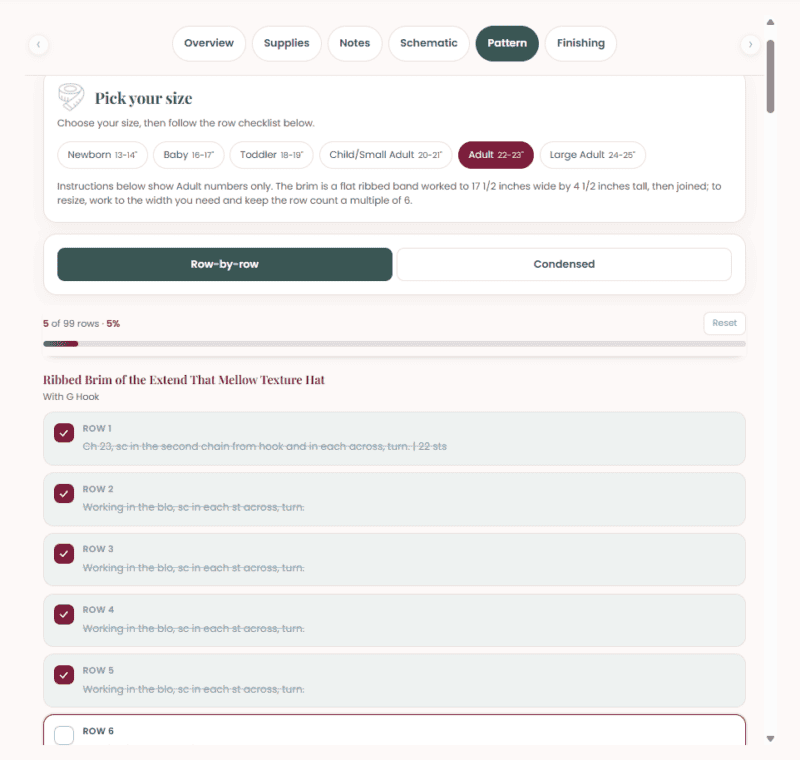
5 of 99
Rows done in the Adult Mellow Hat
1
Stitch count on screen at a time
0
Highlighters required
The Mellow Hat is free on your shelf the moment you join. Try the size picker on a real pattern before you decide anything.
Everything the PDF used to hold
The whole project, in one place
Along the top of every pattern is a row of tabs. Which ones you get depends on the pattern, because a beanie and an ornament need different things.
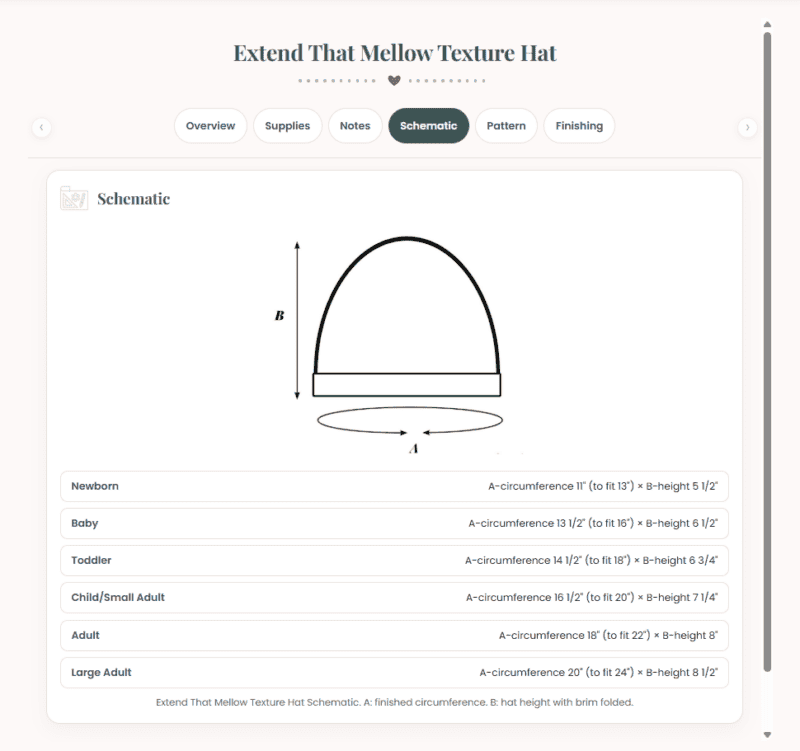
Overview. Photos, skill level, sizes, stitch multiple, and a link straight to the video.
Supplies. The yarn with its weight symbol, the hooks and what each is for, notions, and yardage by size.
Notes and Finishing. Gauge reminders and abbreviations, then what happens when the rows run out.
Schematic. The measured diagram, with finished dimensions for every size.
Chart. The stitch chart, for when symbols read easier than sentences.
Printable Tags. On the small gift makes. Very handy in market season.
You don’t have to buy anything first
A free pattern and four free crochet tools
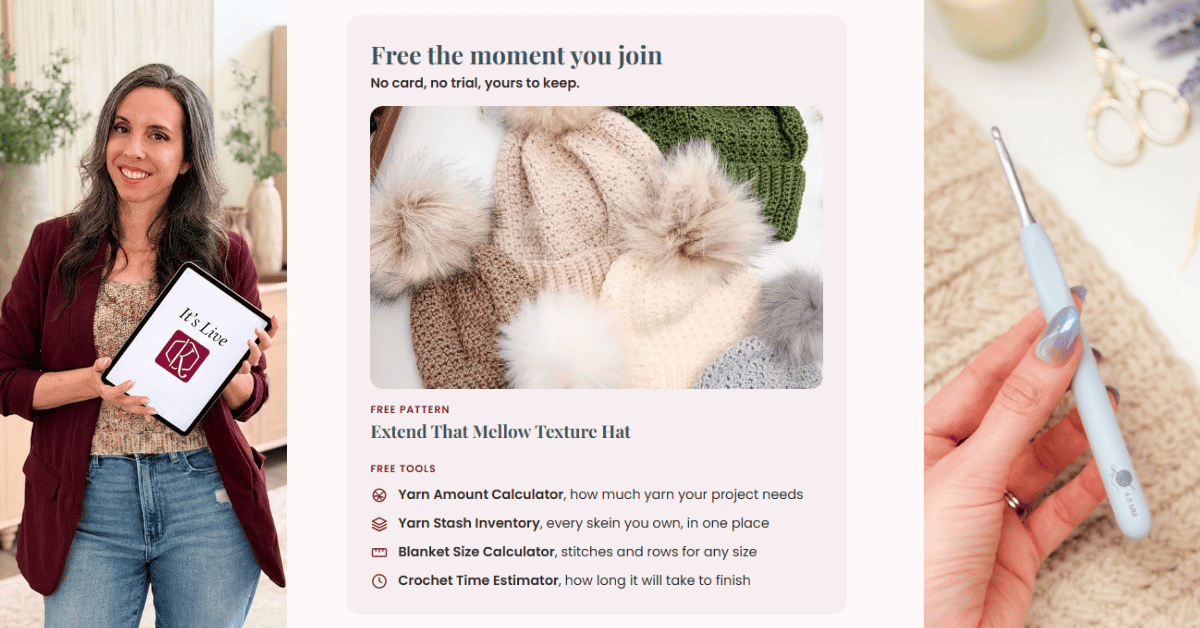
The moment you’re in, there’s a free pattern on your shelf, the Extend That Mellow Texture Hat, so you can try the whole size and row checklist experience on a real pattern before you spend a penny. Then there are the four tools.
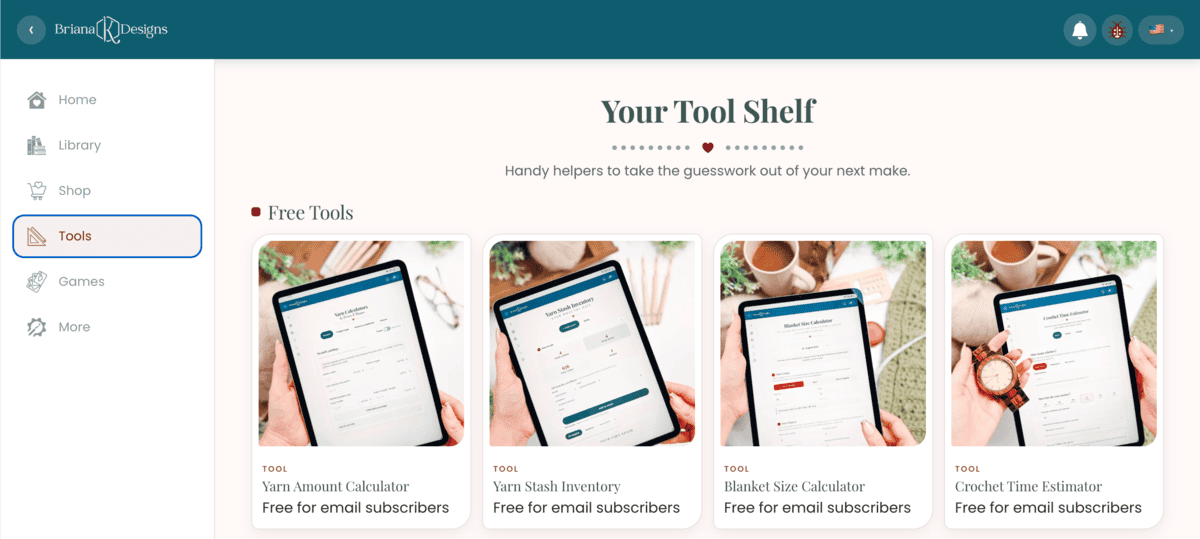
Yarn Amount Calculator
Yardage four ways, from a finished swatch to a shopping ballpark.
Crochet Time Estimator
Whether this one is a weekend or a winter.
Blanket Size Calculator
The size you want, turned into a stitch count.
Yarn Stash Inventory
Every skein, every dye lot, and where you put it.
Codes, shelves and syncing
How your library works
Buy a pattern anywhere I sell them, and a code comes with it.
Enter it on the Library tab and the pattern lands on your shelf, synced to every device you sign in on. The one you bought on your laptop is on your phone by the time you sit down with your yarn.
And you’re not giving up paper to get any of this. Every pattern still comes with a printable PDF.
I did not plan this part
Off the Hook: Eight Free Games 🧶
It started as one small thing and turned into eight. There’s Colorwork, a yarn ball match-three where your score is counted in yards busted. Then Stash Buster, Yarn Shuffle, Wind Up, Loose Ends, Knot Again, Tangled, and one called Just One More Row, which I named after the lie we all tell ourselves at midnight.
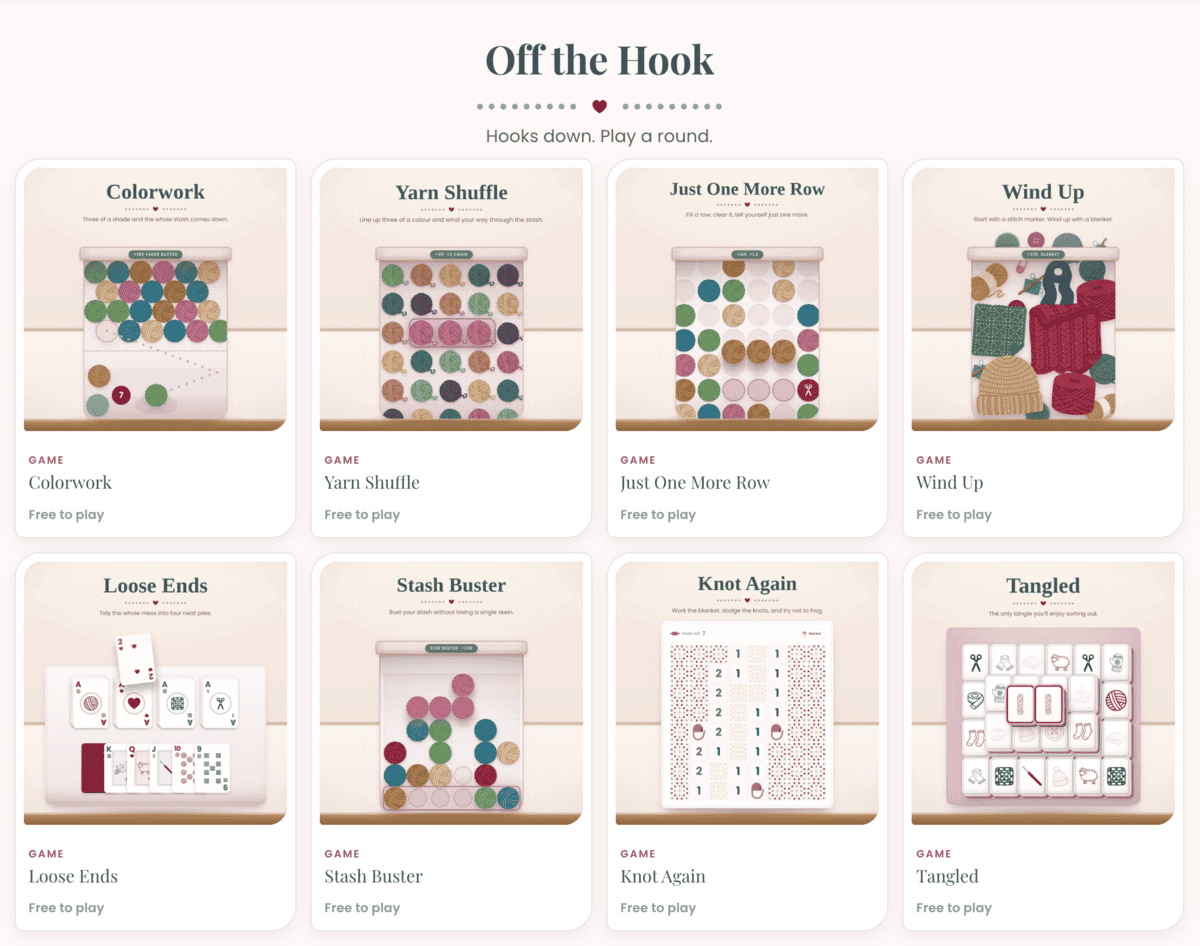
All free to play, for the evenings when your wrists are done but you’re not ready to put the yarn down.
Behind the Stitches
And the pets 🐾
In Settings there’s a section called Behind the Stitches, and an option for how often the pets turn up while you work: Often, Now and then, or Off. They are the actual pets behind the patterns.
I won’t explain this any further. You should just go and meet them.
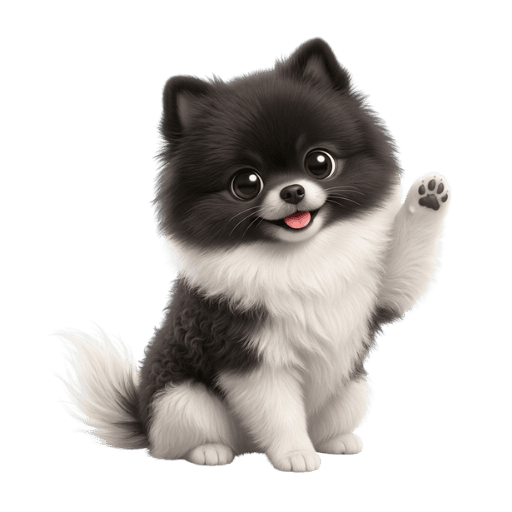
Luna
Black and white, and fully aware of how good she looks.
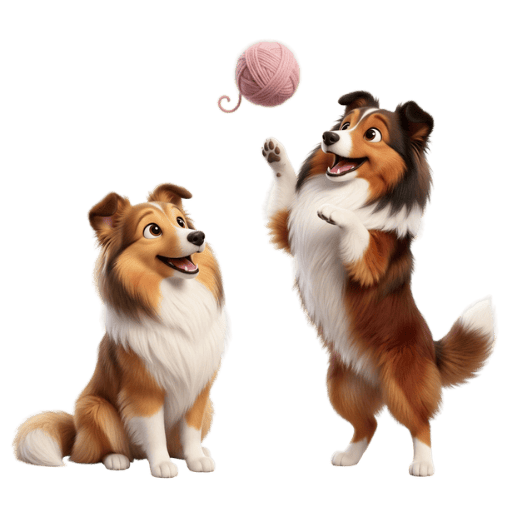
Oliver and Finley
Oliver on the left, Finley on the right, and one ball of yarn between them.
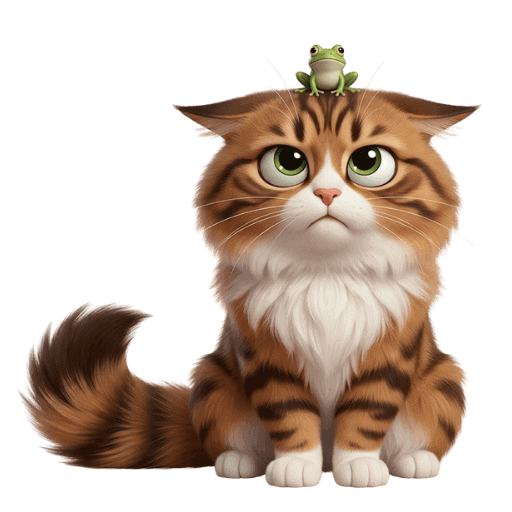
Loki
The cat. Yes, there’s a frog on his head. No, he has not mentioned it.
Luna, Oliver, Finley and Loki are in there waiting.
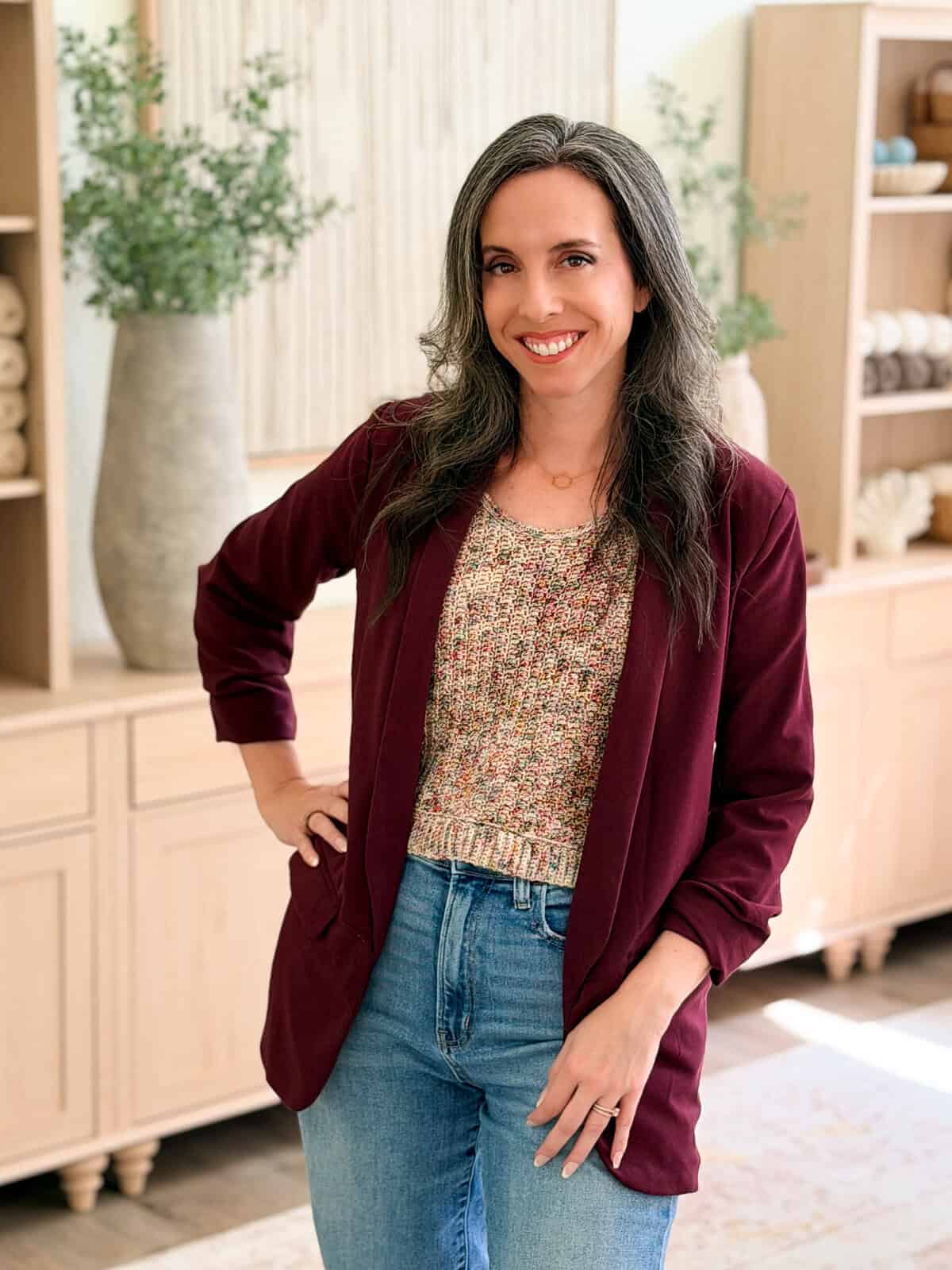
A quick note from me
Hey, I’m Briana
The honest reason this app exists is you. I wanted you to have a pattern that fits the way you actually work. Your size. Your colors. Your place saved for whenever you pick your hook back up.
Life is hard enough, and crochet is supposed to be the good part of your day. See the little bug icon at the top of the app? Tap it. That’s the fastest way to reach me, and most of what’s coming next was built from things people sent through it.
🥂 Cheers, Briana
Before you wonder what you are signing up for
Your first sixty seconds
1
Make the account
An email and a password. No card, nothing to install.
2
The Mellow Hat is already there
A free pattern lands on your shelf before you do anything else.
3
Tap Adult
Watch every stitch count on the screen become yours, and start ticking off rows.
What it costs
Free to start, no subscription required
The app is free to use with a free account. Patterns are bought individually and come with a code. Deluxe tools are sold separately or bundled with a pattern. Once it’s on your shelf, it stays there.
The ones that took months rather than days
The deluxe tools
These are the bigger builds, and these are the paid ones. Some come bundled with a pattern, some you buy on their own. Once a tool is on your shelf, it stays there.
Start here
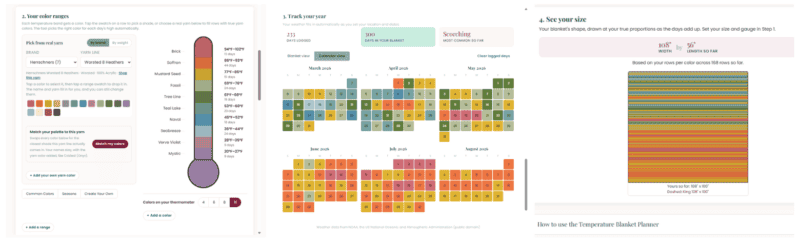
Temperature Blanket Planner
If you only look at one thing in the app, make it this one. Set your location and dates and it fills in the daily weather from NOAA. Build your temperature bands, then drop actual colorways from a real yarn line into each one.
It hands you a shopping list with a buy link per color, shows your year as a calendar, and draws the blanket at true proportions, so you can see it comes out 108 inches wide before you commit to a row.
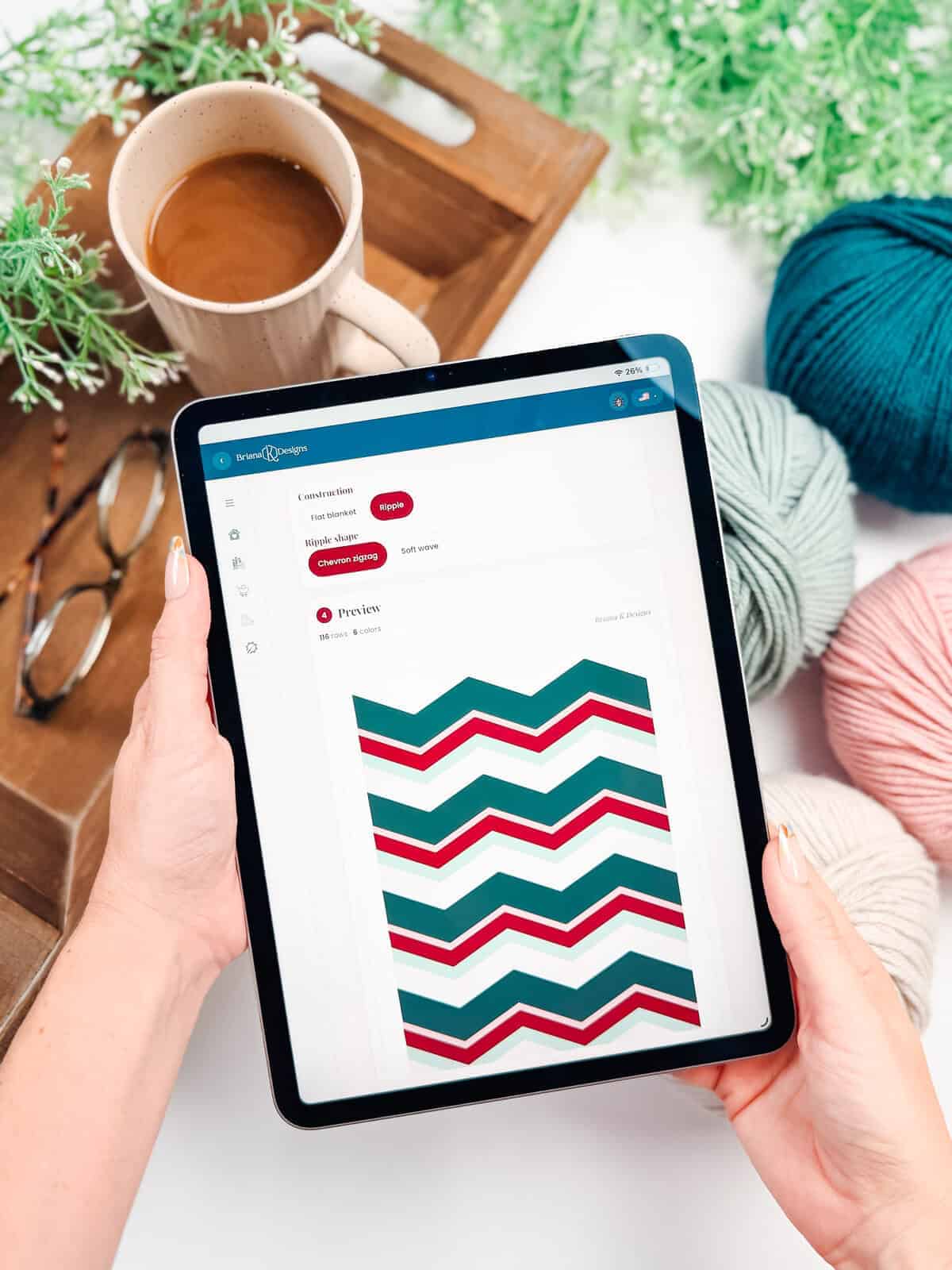
Blanket Color Striping Planner
Pick a yarn line, set how many rows each color runs, and watch the stripes land at your gauge before you commit.
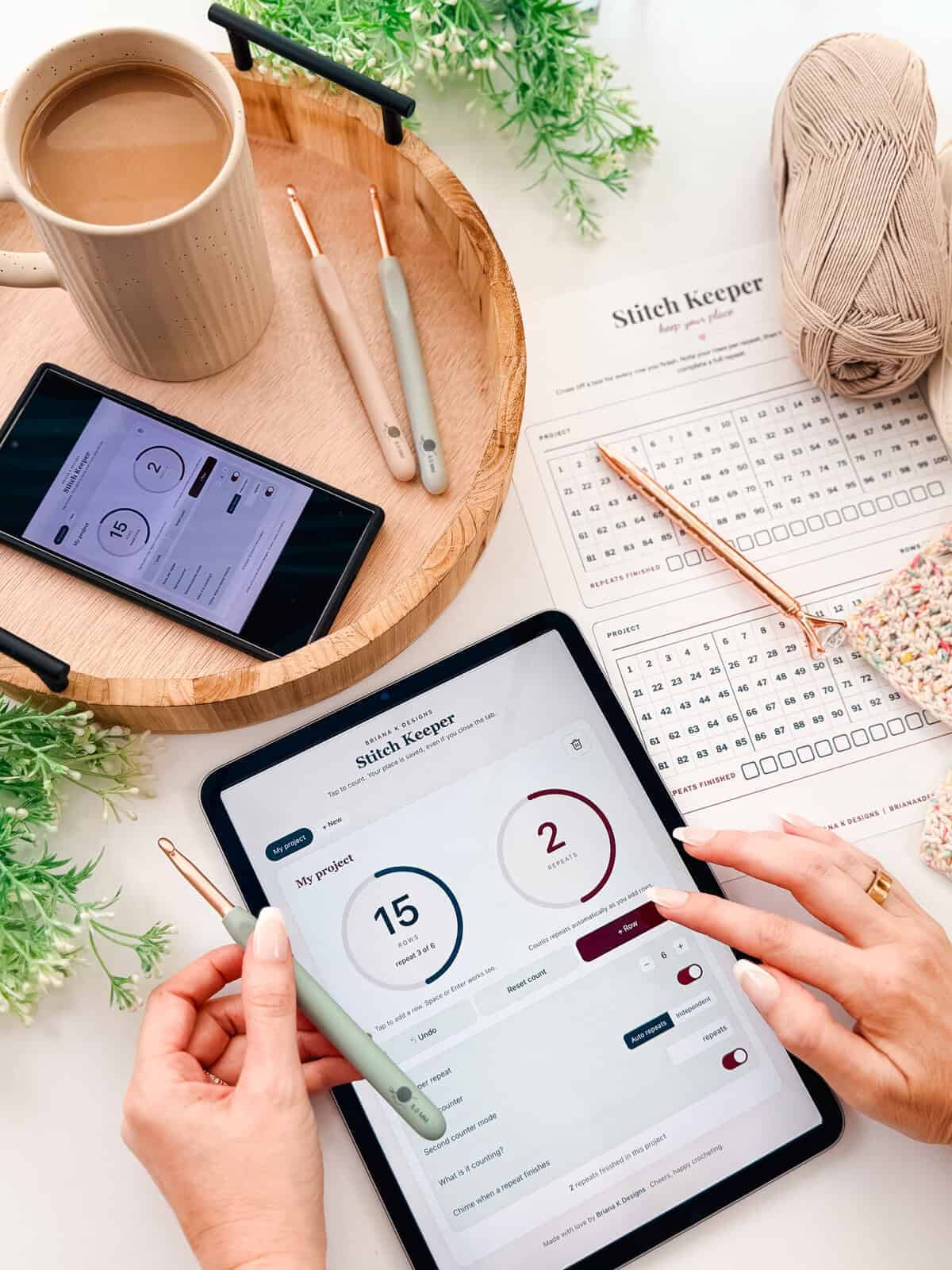
Stitch Keeper
A row and round counter with one very large button. It tracks repeats as well as rows, and holds several projects at once.
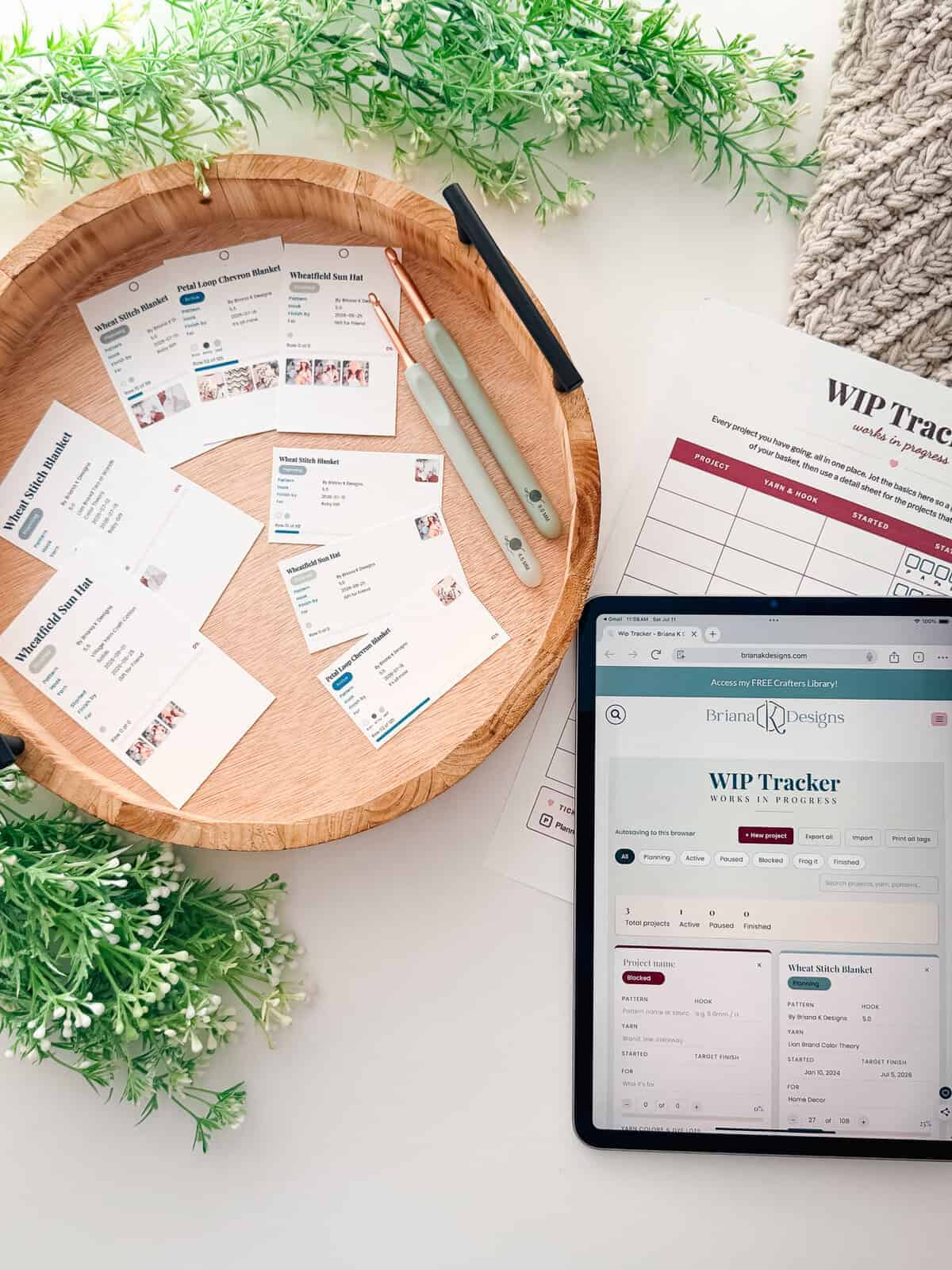
WIP Tracker
Every project you have going, with a status on each. Exports as a backup, and prints tags for your project bags.
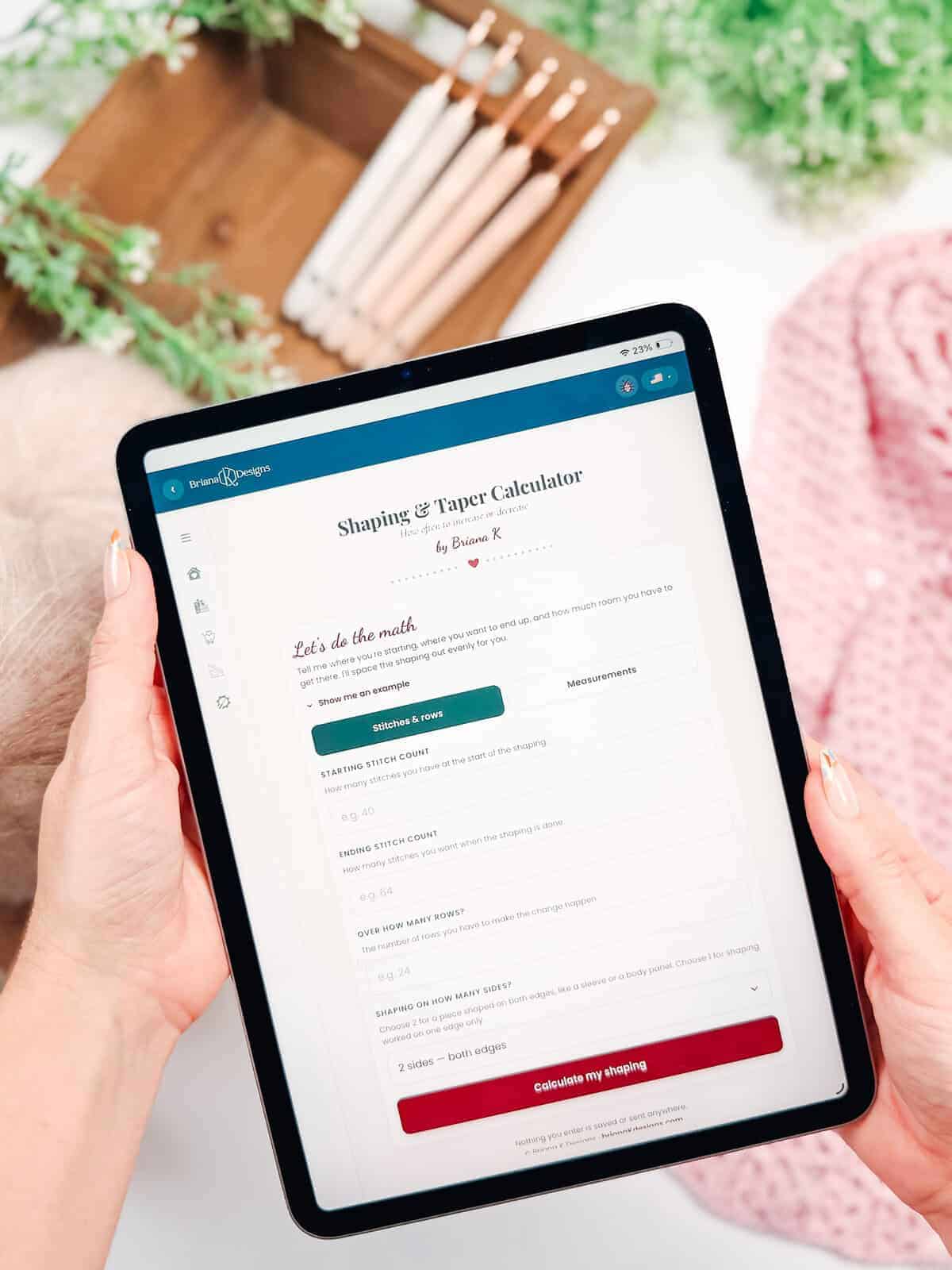
The Shaping Calculators
Taper and waist shaping. The increase and decrease math that otherwise ends up on the back of an envelope.
Questions, answered
Do I need to download anything?
No. It runs in your web browser at stitch.brianakdesigns.com on a phone, tablet, or computer. Nothing to install or update. If you’d rather it sat on your home screen and opened like a proper app, I wrote you a guide: Put the App on Any Device. No app store, about twenty seconds. It walks through iPhone, Android, Windows, and Mac separately, and there’s a set of steps for anyone who got here by tapping a link inside Instagram or Facebook, which is the one that trips people up.
Do I need an account?
Yes, and it’s free. An email and a password, no card and no trial. The account is what makes your purchases yours. Every code you redeem attaches to it, so a pattern you bought this year is still on your shelf next year, on whatever device you happen to pick up. It’s also what makes Restore my codes work when you change phones, and what puts the free pattern and the four free tools there the moment you join.
Does it cost anything?
Creating an account is free, and so is the pattern that comes with it, the four tools in the Free Tools row, and all eight games. The deluxe tools are paid, either bought on their own or included with a pattern. Patterns are bought individually and come with a code that puts them on your shelf.
I already bought a pattern from you. Do I have to buy it again?
No. Your purchase came with a code. Enter it on the Library tab and the pattern will appear on your shelf. If you bought it somewhere other than my shop, you can use the Other Platform Purchases option in Settings. If you can’t find your code at all, use Help and support and we’ll sort it out.
Will I lose my place if I close the app?
Your library and your unlocks are tied to your account and follow you between devices. Row progress and the tools that hold project data are saved on the device you’re using, which is why the WIP Tracker has an export button. If you switch tablets mid‑blanket, export first.
Do I have to give up my PDF?
No. Every pattern still comes with a printable PDF, so if you like paper on the arm of your chair, nothing changes. It’s the same pattern in both places, rebuilt in the app to be followed on a screen. The sizing, the color labels, and the row checklist are things paper physically cannot do, which is why the app exists at all.
What is coming next?
The thing people ask me for most is all their patterns in one place, so that’s what I’m building. A PDF reader is coming, so you can open your own pattern PDFs right here instead of digging through folders. It reads them; it does not keep them. The size picking, the color labels, and the row checklist stay with my patterns, because they’re built into each one. There’s a color tool in draft too, and I’m always working on the next thing.
Your size. Your colors. Your place saved.
Free to join, and a free pattern is on your shelf before you do anything else. You just make. I’ve handled the rest.
The Briana K Crochet App is a web app at stitch.brianakdesigns.com. A free account is required. Patterns are copyrighted for personal use, so please do not share, copy, or resell the files. Finished items are yours to keep, gift, or sell in small amounts with credit to Briana K Designs. © 2026 Briana Kepner (Briana K Designs). All Rights Reserved.