
I uploaded a paid crochet pattern into the Loopsy app. Not one of mine. One I had written permission to test with, from a designer who wanted to know what would happen to her work.
Then I tapped Share, sent the link to her phone, and she opened the entire PDF. Every page. One more tap and it saved permanently into her library.
One purchase. Two taps. A complete copy of a paid pattern sitting in someone else’s account, and in any real version of this, the designer never finds out.
I have spent the past few days testing this app with my own patterns and, with permission, another designer’s. What I found goes well past pattern sharing, and I photographed every step of it, so you do not have to go digging through your own work to find out whether you are in there.
Loopsy’s own designer page promises a pattern library “free from AI-generated or stolen content.”
Here is what I found.
Note to Designers: there is a full action list at the bottom of this post. What to check, where to file, and who to send it to.
A note before I start. Michelle of Tales of Knots gave me written permission to use her patterns and her screenshots. Her free earwarmer pattern is the running example here, and the original is on her site where it belongs. Where I show generated instructions, I have blurred them. I am not going to republish another designer’s pattern to make a point about another designer’s pattern being republished. Please support her by actually visiting her blog Tales of Knots to see this pattern.
And the important one: I am not an attorney. Nothing here is legal advice. It is what I tested and what I saw. If you decide to act on any of it, talk to your own lawyer.
The part that stopped me cold: it shares the whole PDF
Start here, because this is the one that matters most.
A paid pattern PDF is sold to one person for their own use. That is the deal on almost every pattern any of us sells.
Here is what the app does with it.
The recipient did not buy anything. They did not have an account with the designer. They tapped a link in a text message and read the whole document, then kept a copy.
We ran it in both directions, between two accounts, and again with a pattern neither of us wrote. It worked every time.
And the file is on Loopsy’s own servers. It says so on the screen: cdn.loopsy.com. That is their content delivery network, hosting somebody else’s copyrighted pattern, handing it to whoever has the link.
I want to be precise about one thing, because it matters. The share link itself does not open the PDF in a web browser. It opens the app. So it is not quite “anyone on the internet.” It is anyone who installs a free app. Given that the app is free, I am not sure that distinction is worth much, but you should have it.
What the app does
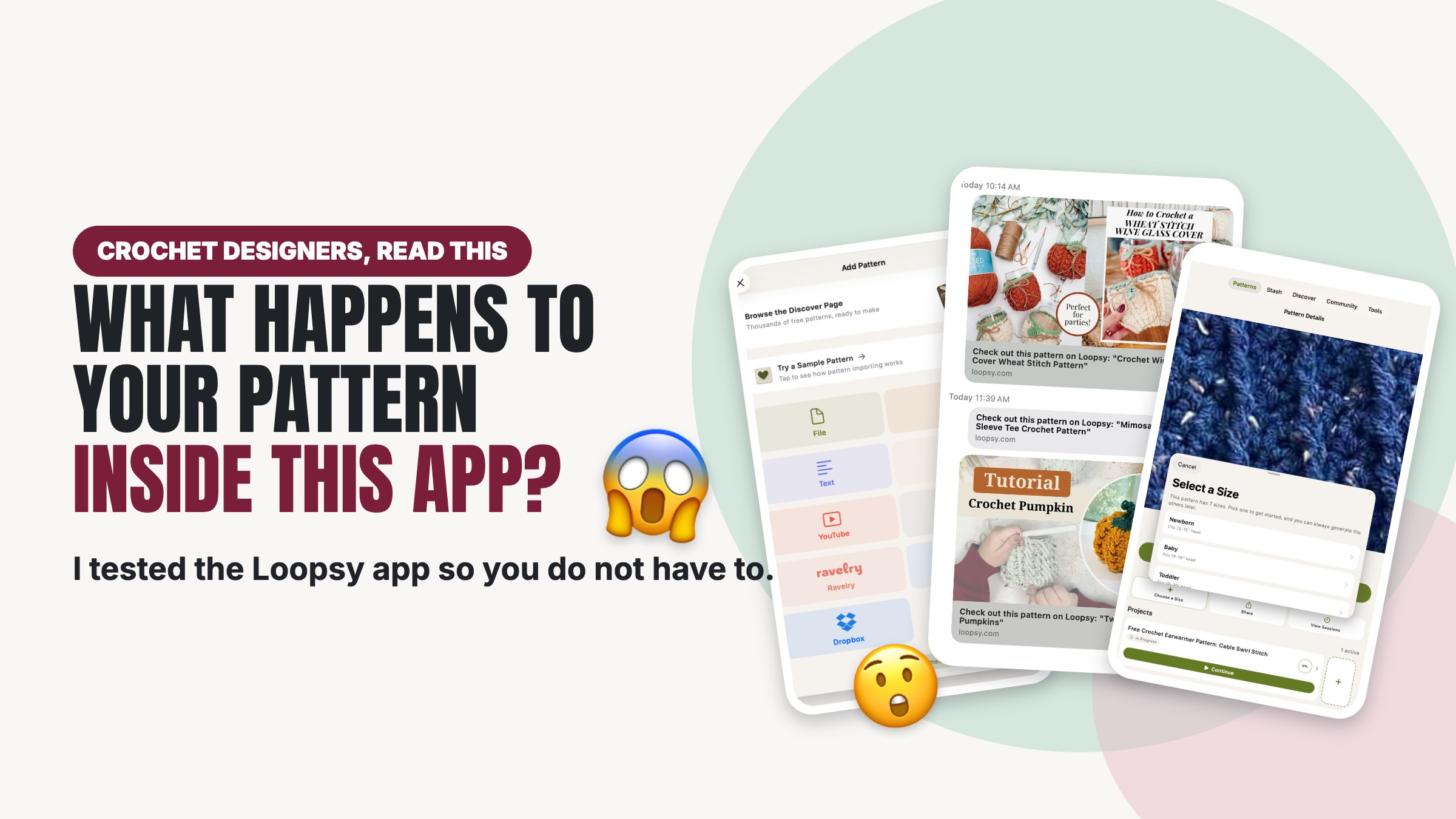
Nine ways to bring a pattern in. Four of them point straight at how designers earn: a PDF file, a website link, a YouTube video, and a Ravelry listing.
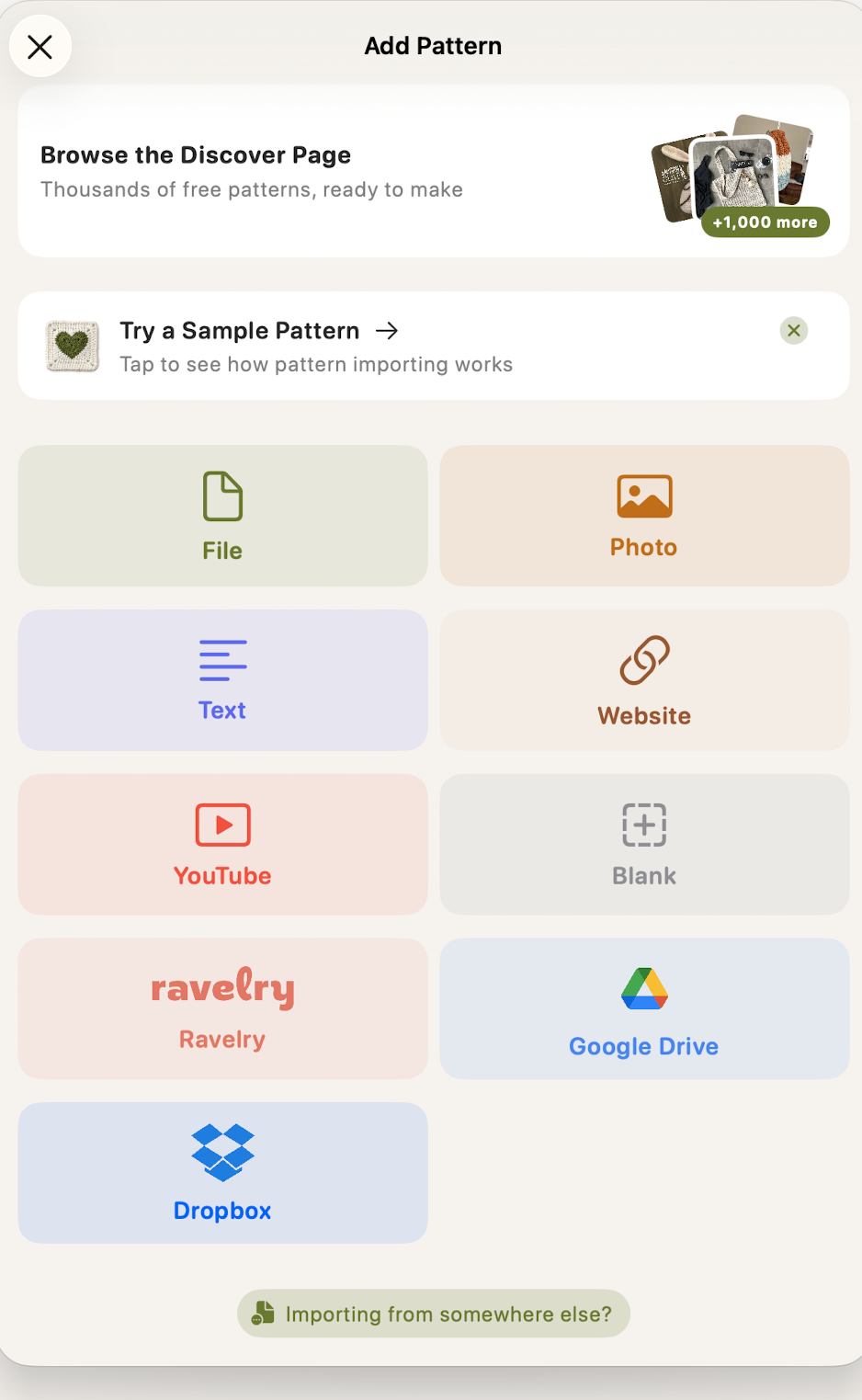
Once a pattern is in, the app offers to convert it. Their words:
“Turn this into steps. Create a Smart Pattern to turn your source into interactive steps.”
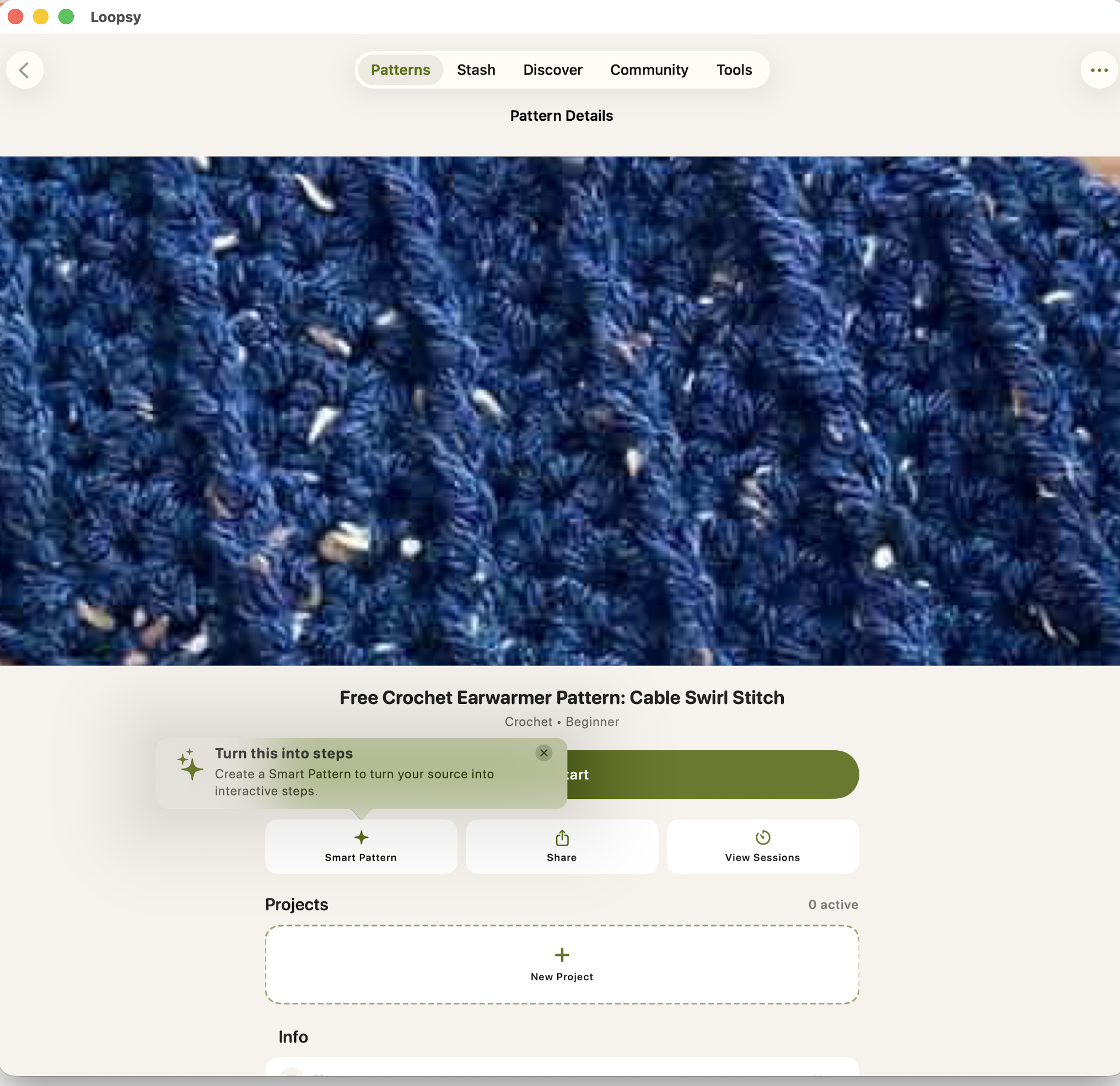
What happened when I converted a free blog post
I used Michelle’s free earwarmer pattern. Published on her blog. Paid for by the ads on that page.
It read her size chart
Her post offers seven sizes: Newborn, Baby, Toddler, Child, Teen, Adult and Adult Large, covering heads from 13 to 24 inches.
The app offered the same seven sizes, with the same measurements.
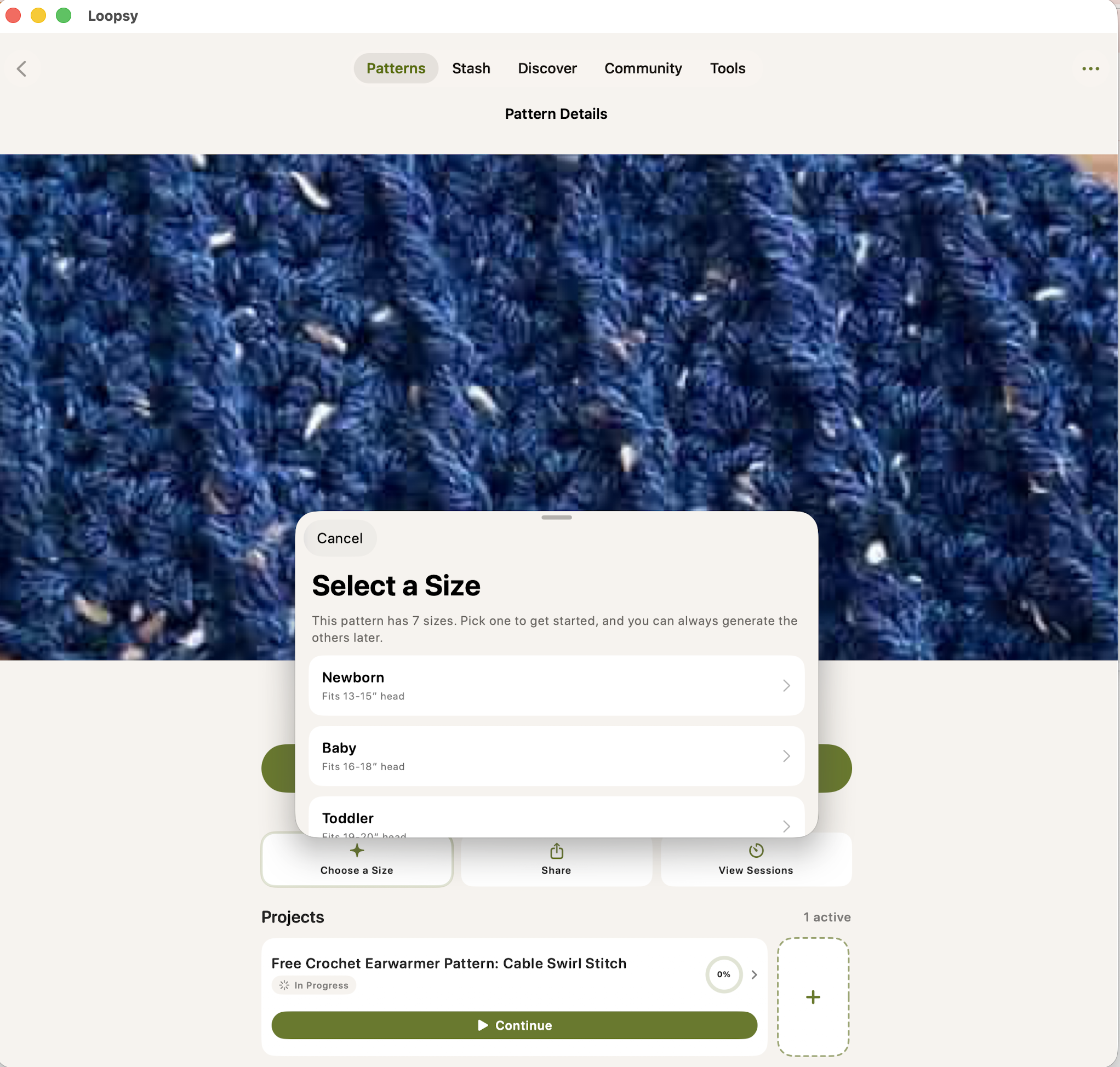
Sit with that one.
It is not producing something loosely inspired by her pattern. It is reproducing her grading. The sizes she worked out, tested and wrote down, with her measurements attached to them.
It generates each size separately, on demand
The app says: “Pick one to get started, and you can always generate the others later.”
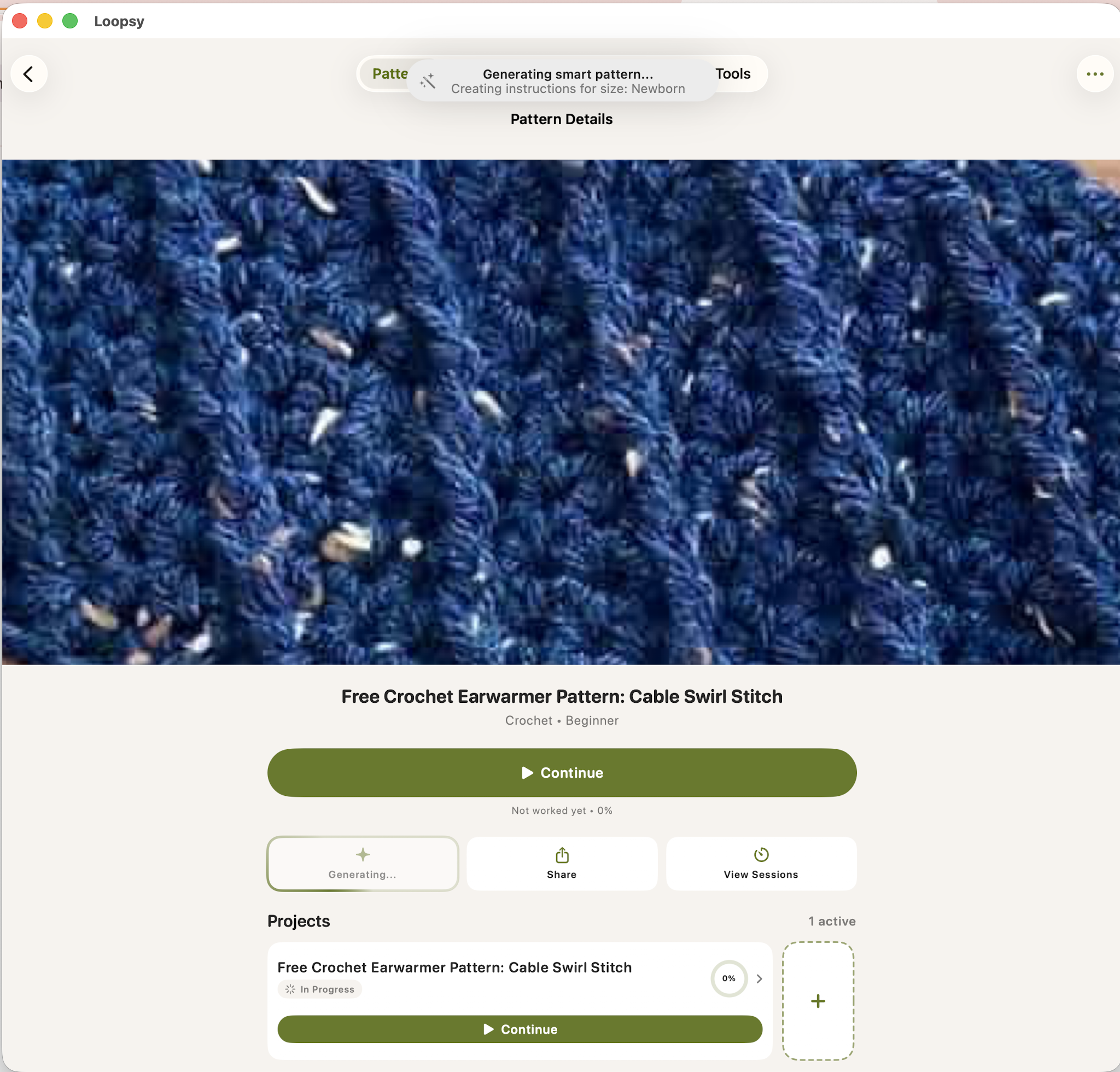
One free blog post. Seven sizes. Each one written out as its own pattern, whenever somebody asks for it.
The result
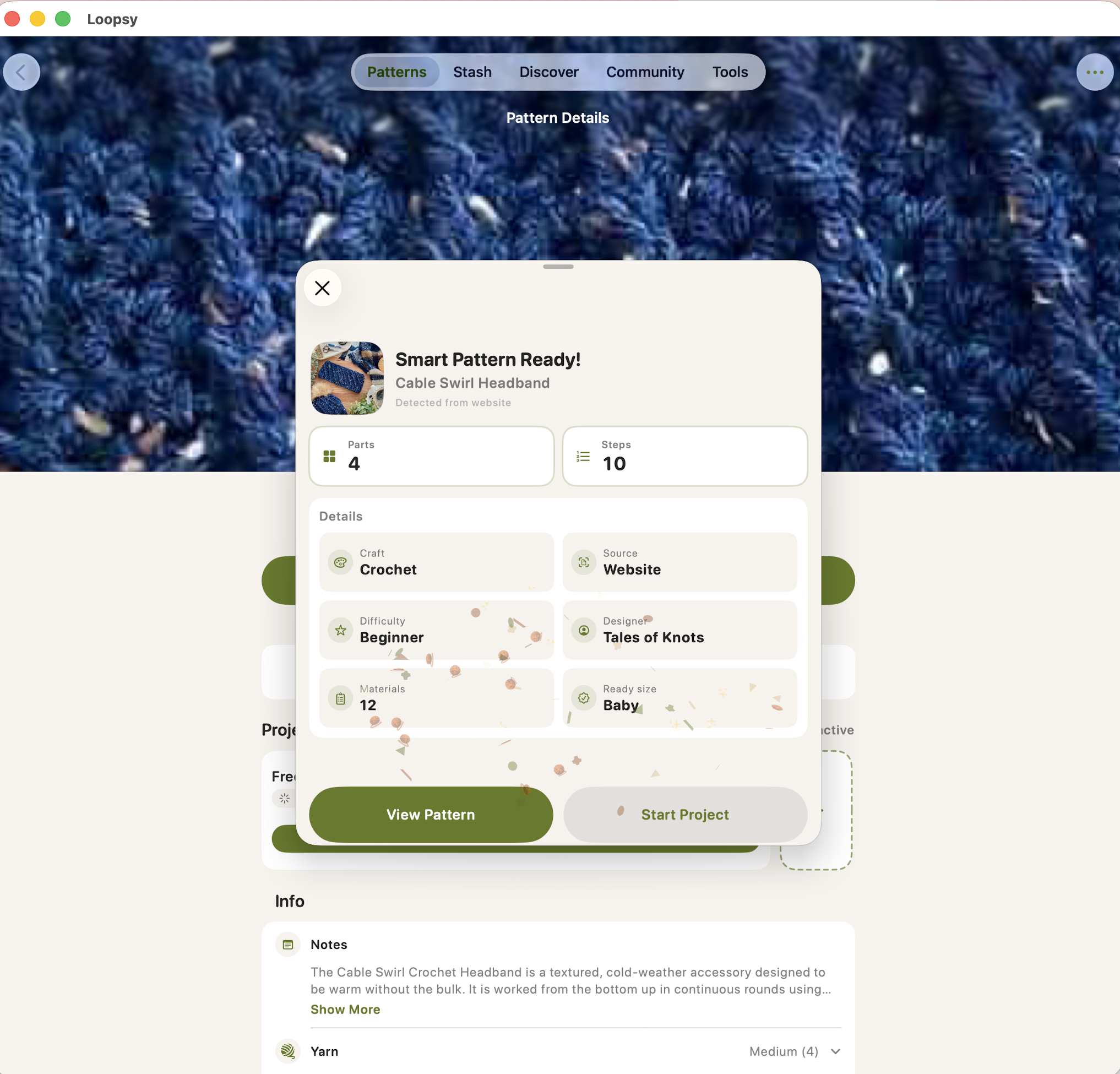
Four parts. Ten steps. Twelve materials. For one size.
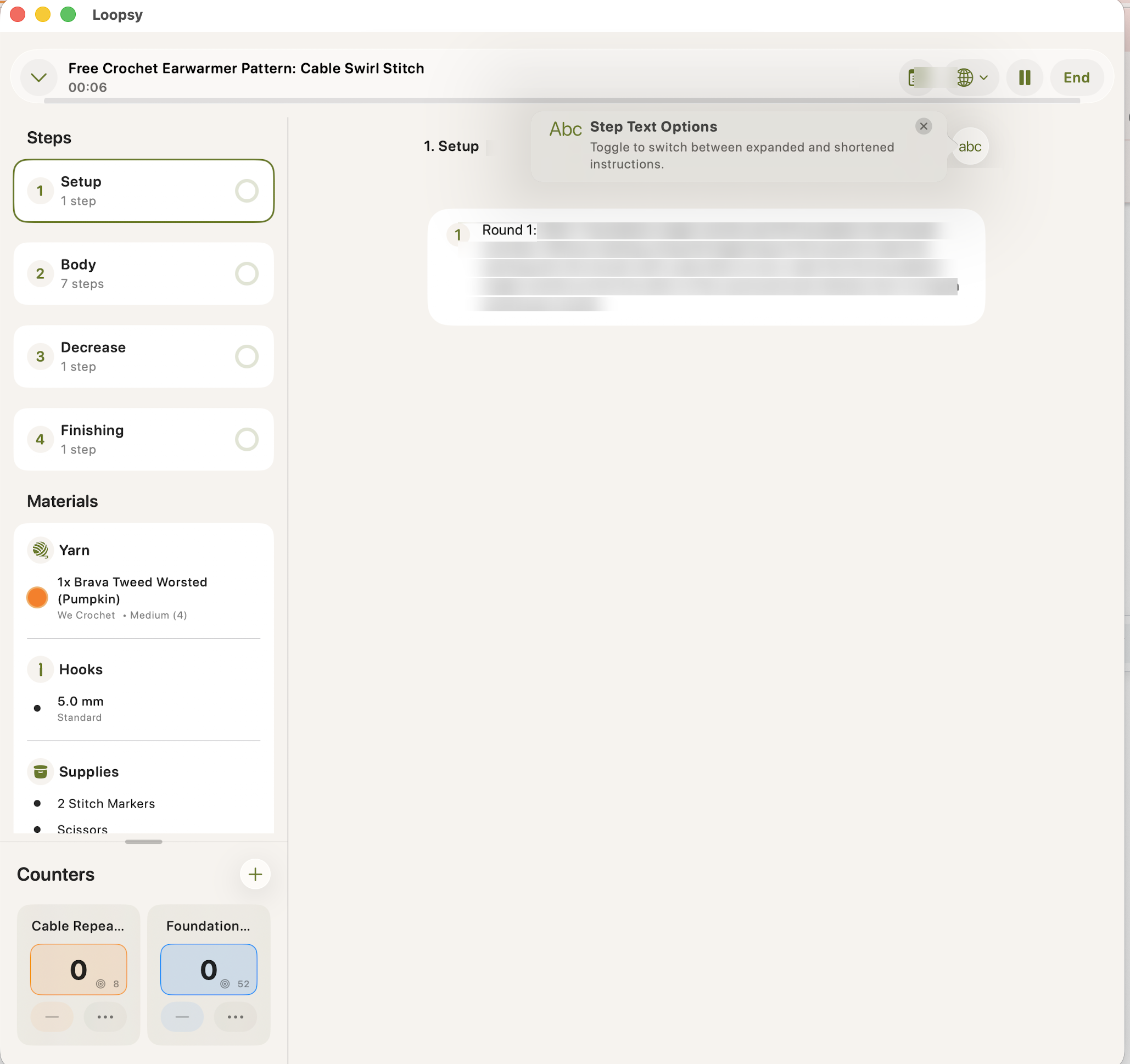
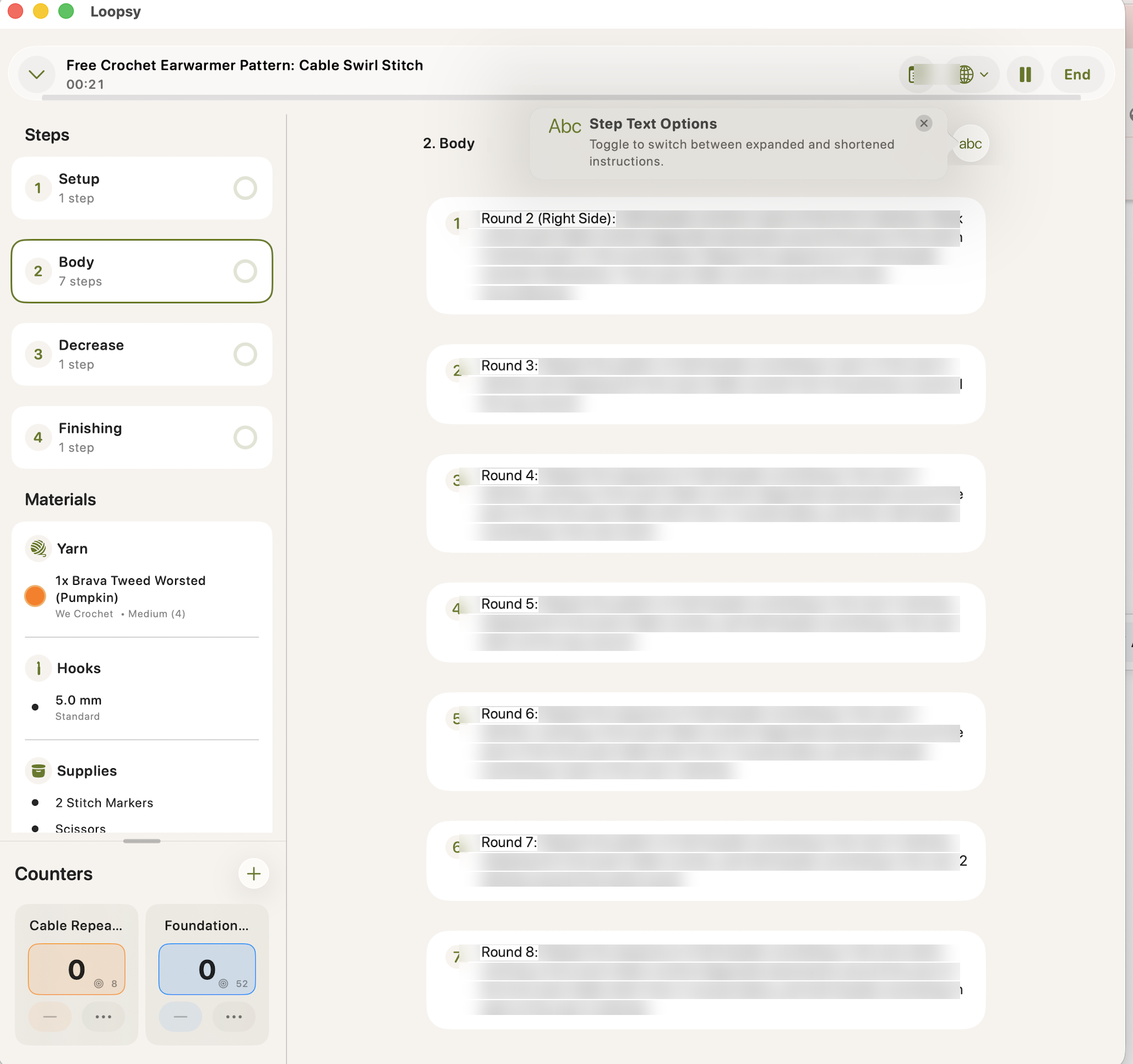
The ways this takes money off designers
1. Every affiliate link is gone
On Michelle’s blog post, her materials section links out ten times: the Brava Tweed Worsted yarn from We Crochet, four substitute yarns, her recommended hooks, her stitch markers, scissors, tape measure and tapestry needle.
Those links are how a free pattern pays for itself.
Here is the same materials list inside the app.
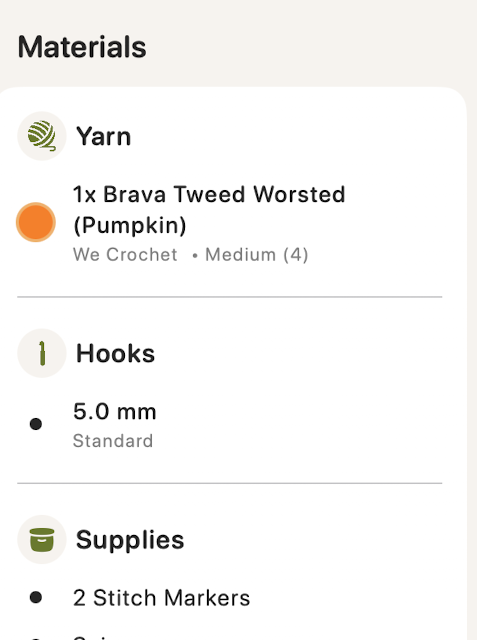
The yarn is there. The brand is there. The colorway is there. The hook size is there. The notions are there.
Not one link.
It keeps the shopping list and drops the only part that pays the person who wrote it.
2. The ads do not come with it
Blog patterns are free because ads pay for them. Loopsy has a built in browser, and that is where the reader lands.
Michelle’s post in Loopsy’s browser, next to the same post in a normal browser.
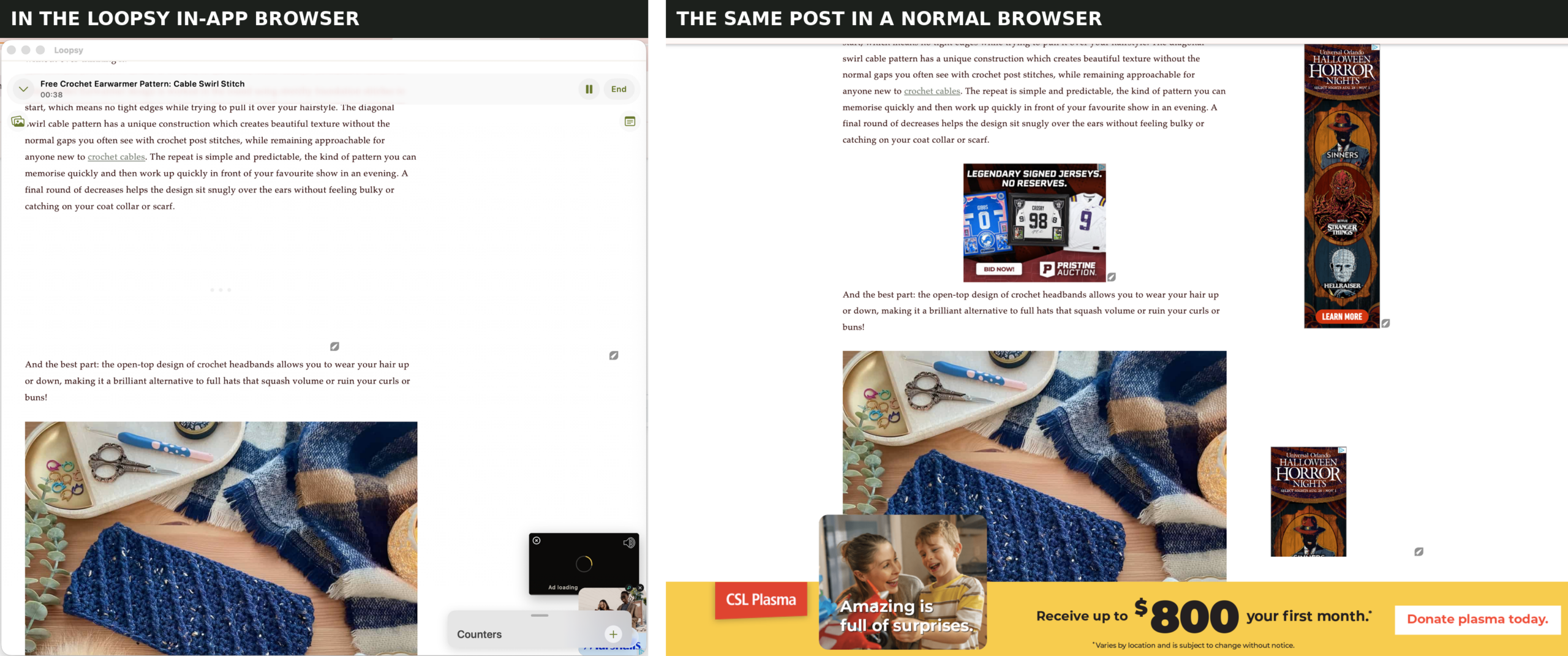
Four ad slots filled on one side. Four blanks on the other.
I will be straight with you: one ad was still loading in the app when I took that screenshot, and I cannot prove the app blocks ads rather than simply failing to load them. What I can show you is what Loopsy puts on its own homepage, in a five star review they chose to feature:
“it’s also ad free via the in app browser which is awesome”
That is their pitch. In their words. On their site.
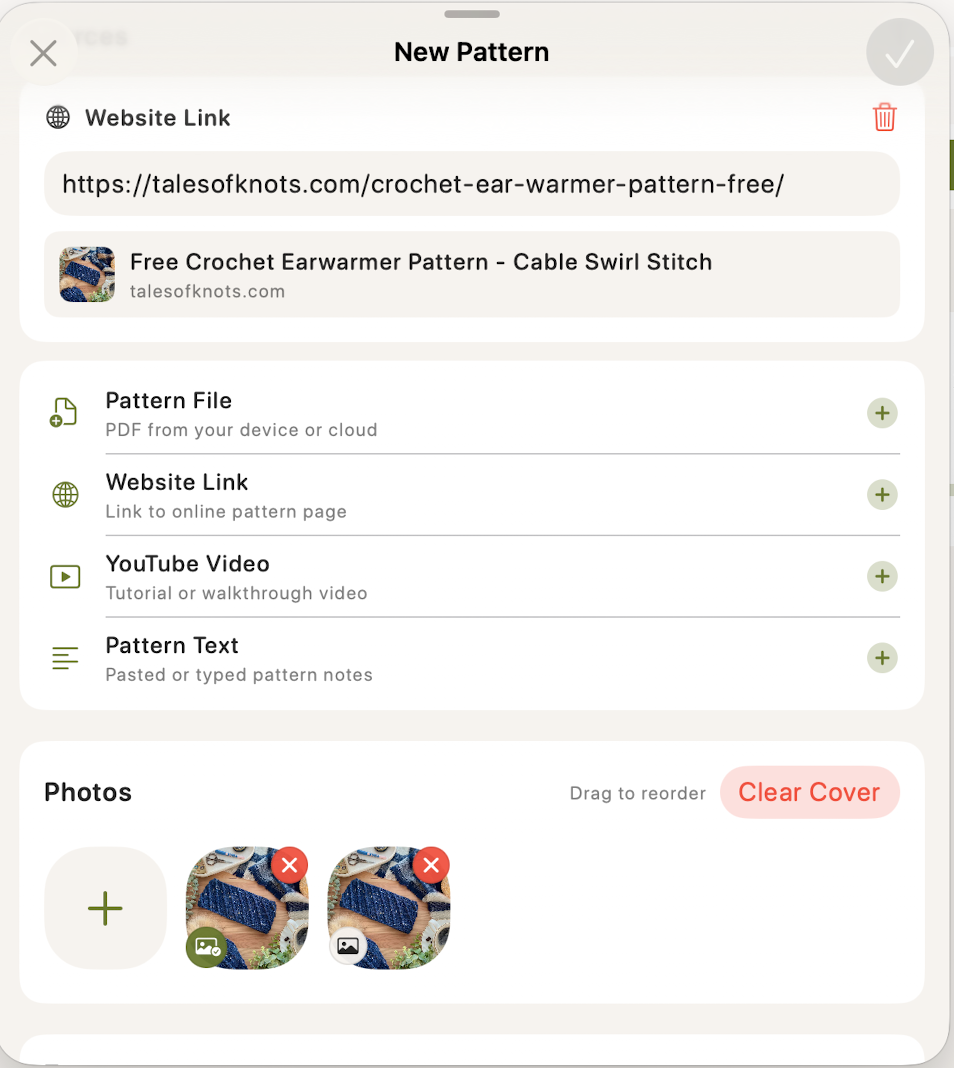
3. Your photos come across too
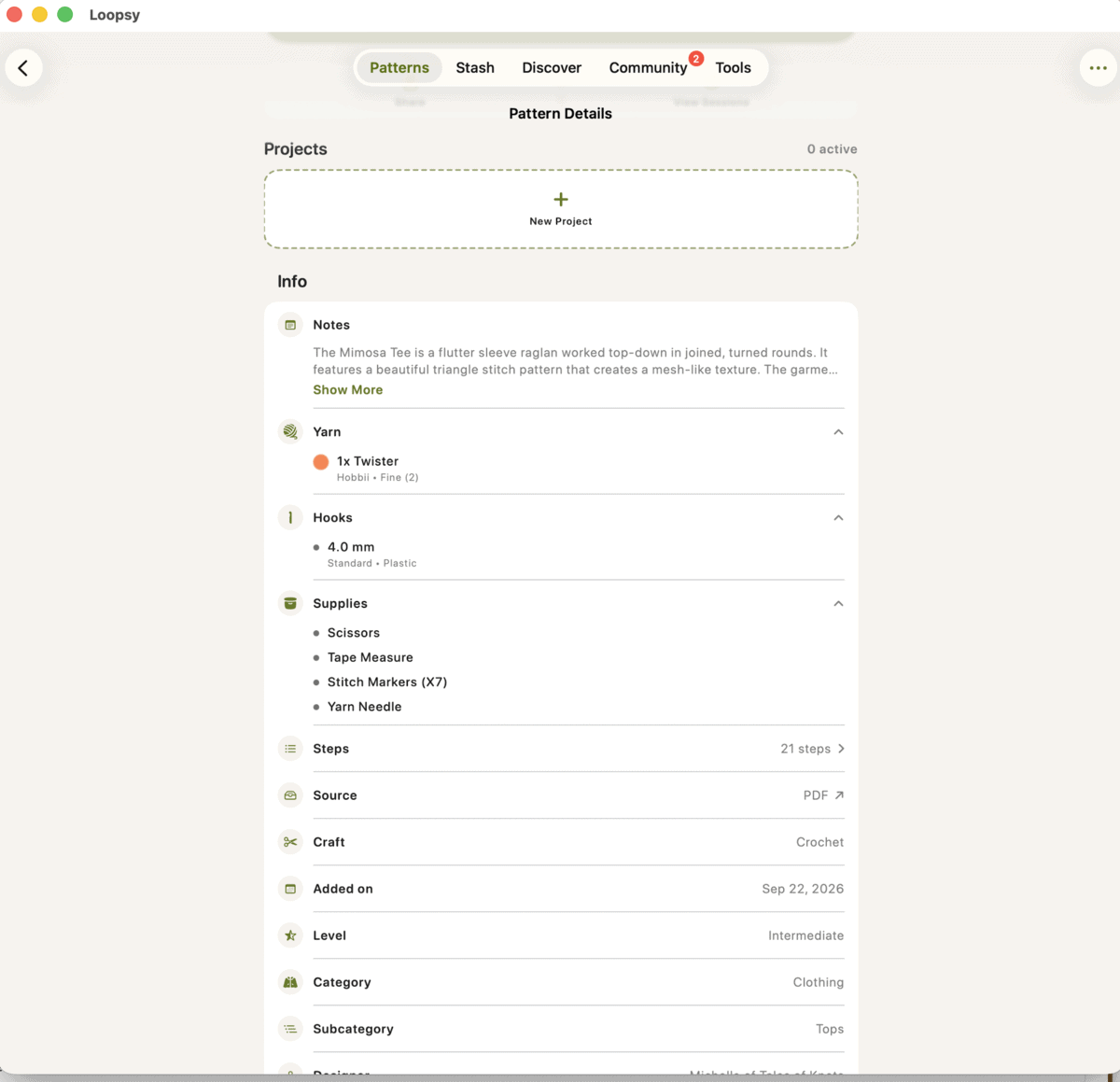
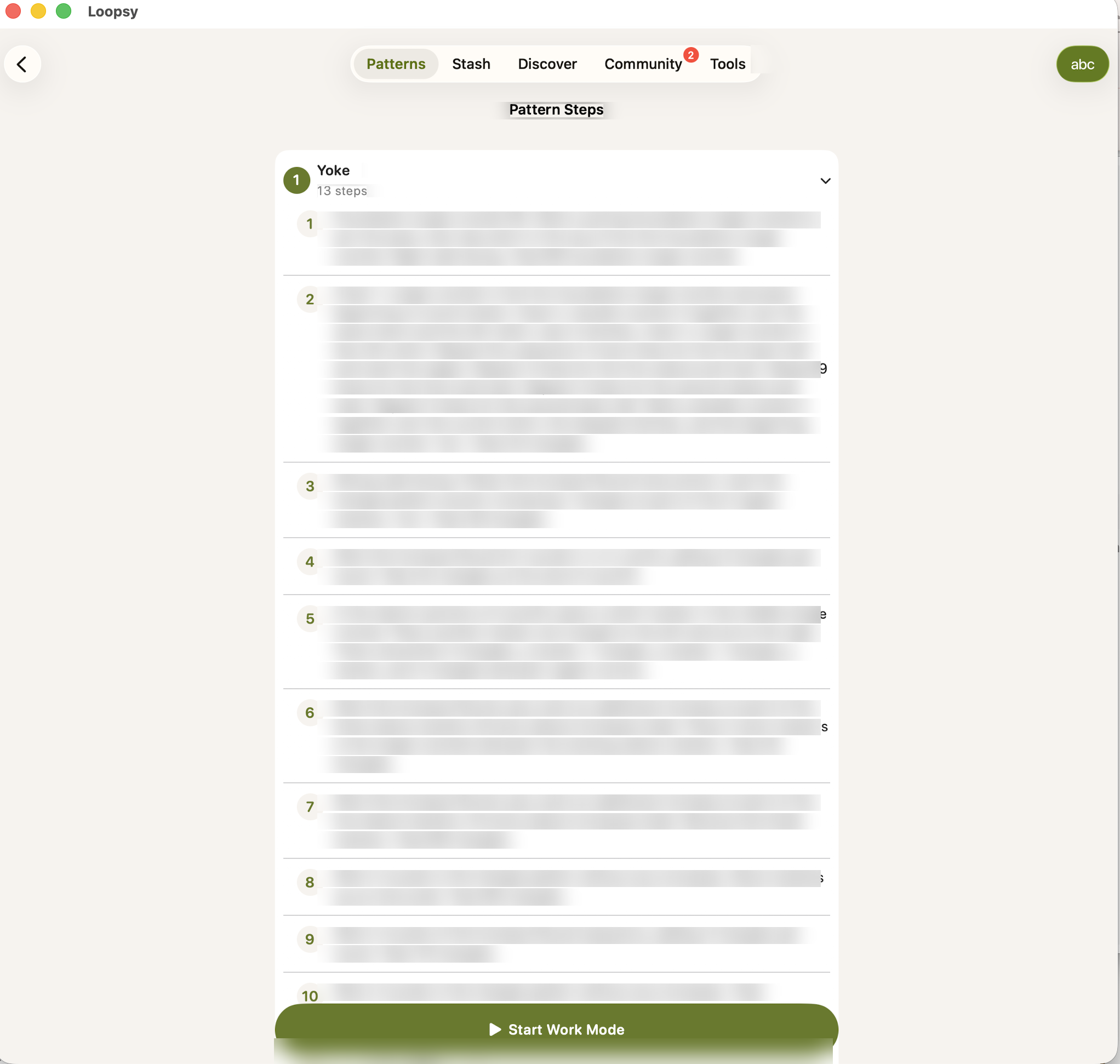
4. Paid PDFs, not just free blog posts
Michelle’s own terms say it plainly:
“Any copying, alteration, or distribution of the physical pattern is prohibited.”
5. YouTube tutorials
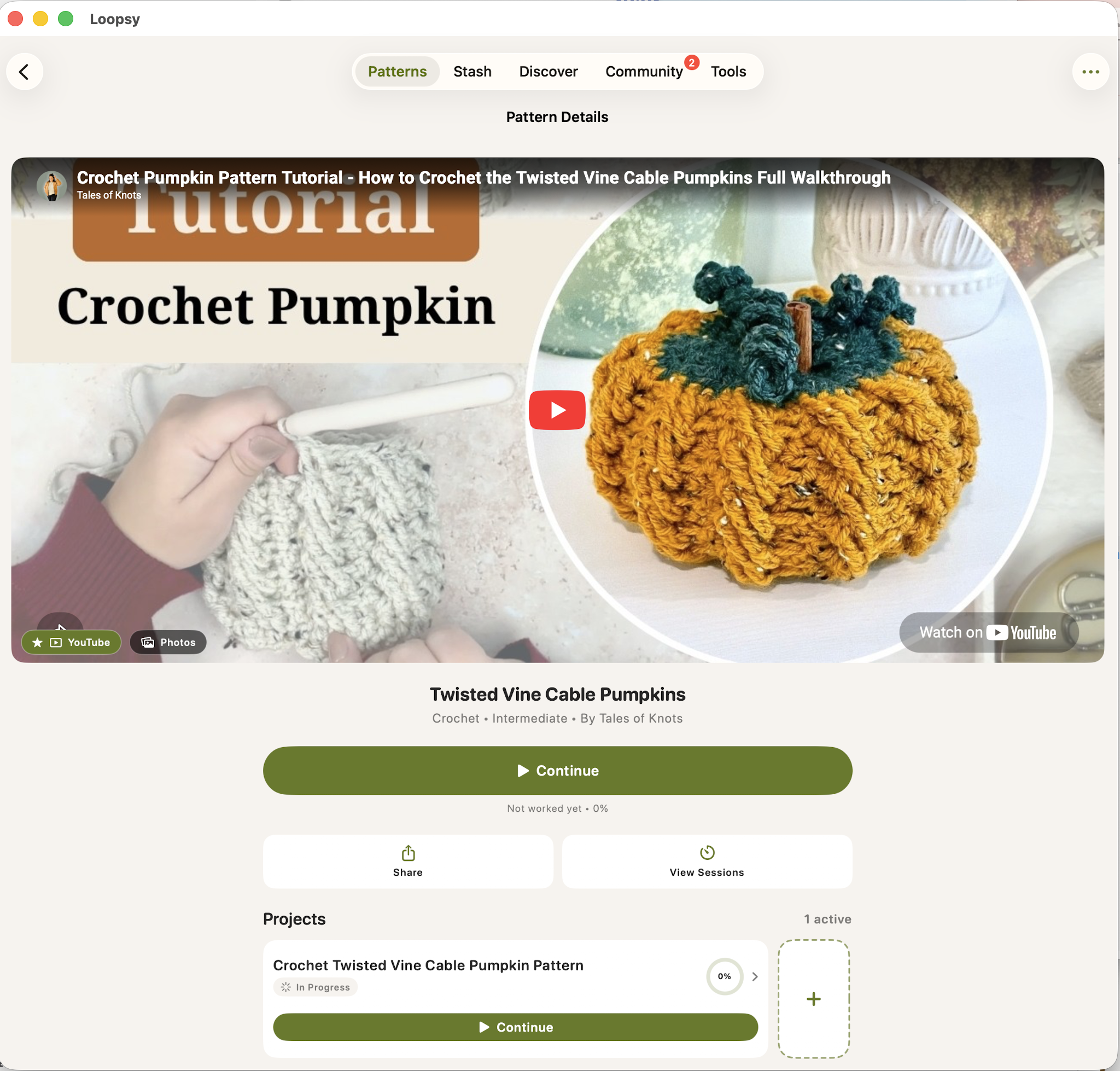
6. Your marketing becomes their marketing
This is the one I did not see coming.
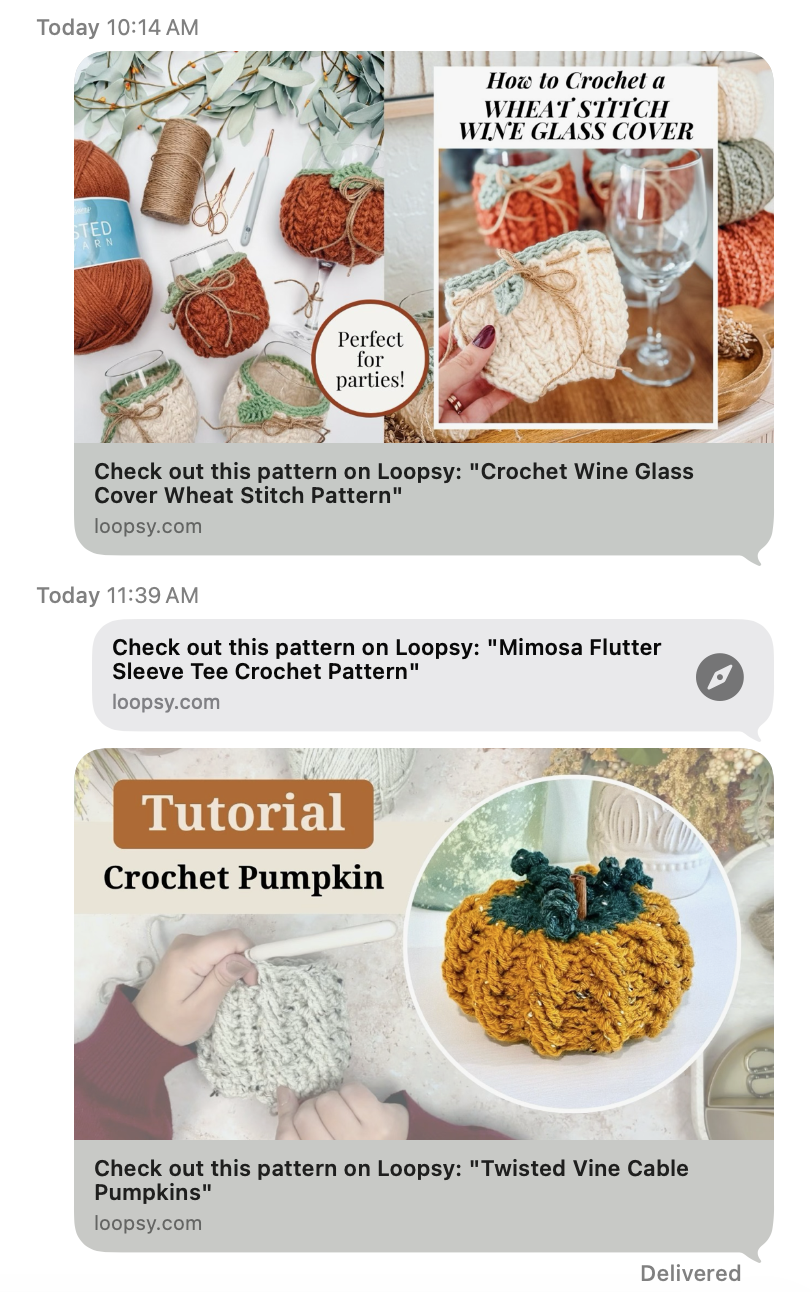
Look at what is doing the work in those cards.
The first is my branded graphic, the one that says “How to Crochet a Wheat Stitch Wine Glass Cover” in my fonts. The third is Michelle’s YouTube thumbnail, the one that says “Tutorial, Crochet Pumpkin.” Those are not snapshots. Those are the images we make specifically to earn a click, and they are the ones we spend the most time on.
Every card reads “Check out this pattern on Loopsy.” Every card links to loopsy.com.
Then I looked at where those links go. The share link is a redirect page whose only job is to open the app. I read the page. It contains no link to my blog post, no link to Michelle’s video, no link to either of our sites. The only other link on it goes to loopsy.com’s homepage.
So the person who receives one of these:
- Never lands on the blog post, so no ad loads and nobody gets paid for the visit
- Never sees the affiliate links, so no yarn gets bought through them
- Never watches the video, so it earns no view and no ad revenue
- Does not find out whose pattern it is until they are already inside the app
Our own promotional images, built to send traffic to us, sending traffic to an app install instead.
The compensation offer
Loopsy has a Designer Application. Read it carefully.
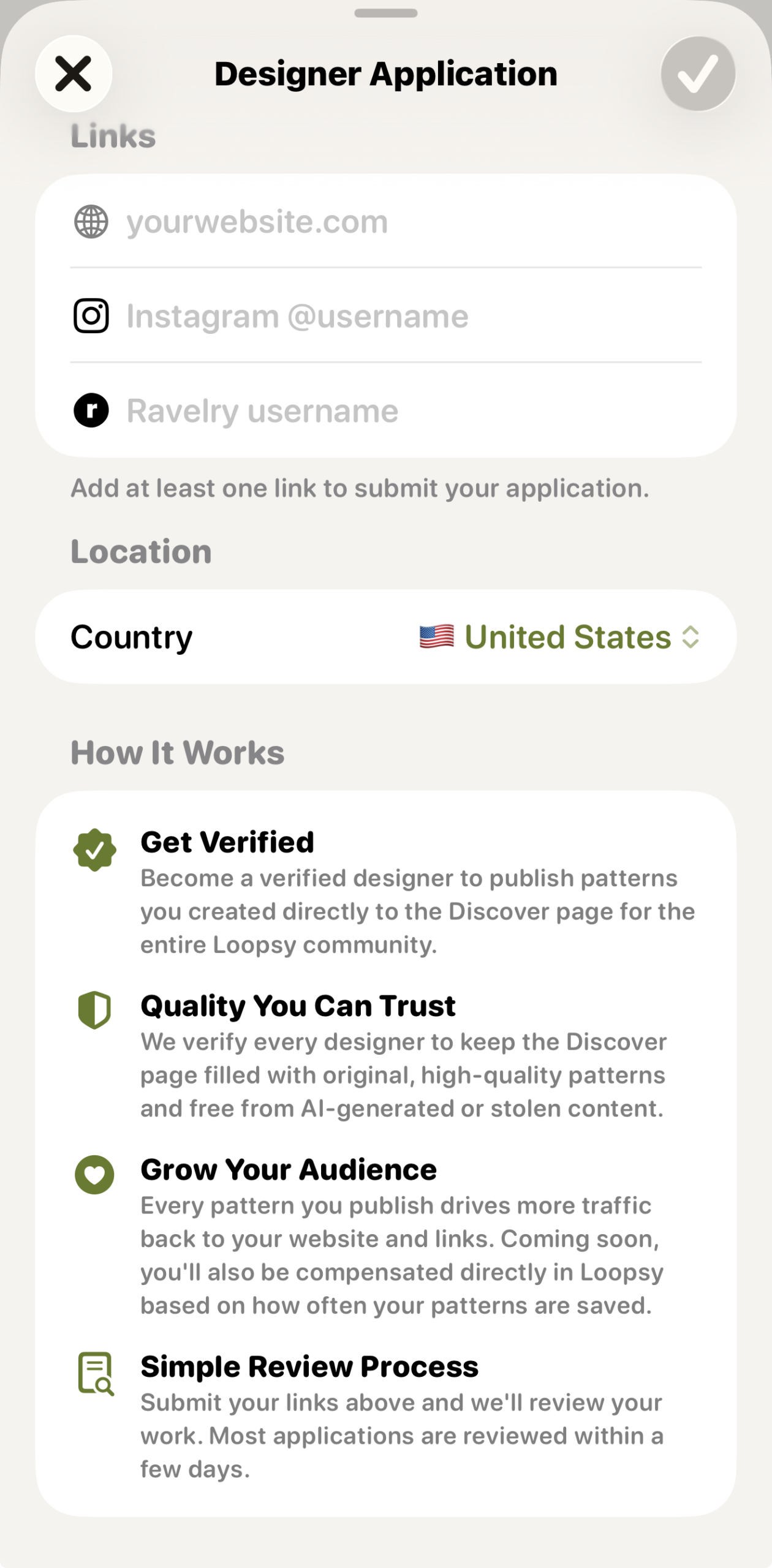
Their stated standard:
“We verify every designer to keep the Discover page filled with original, high quality patterns and free from AI generated or stolen content.”
The app can already carry your links. The application says a verified designer’s patterns “drive more traffic back to your website and links.” So the capability exists. It just is not applied when someone imports your work without asking you.
And the money:
“Coming soon, you’ll also be compensated directly in Loopsy based on how often your patterns are saved.”
No rate. No terms. No date. And only if you apply, get reviewed, and get approved.
Meanwhile your patterns can already be in there. Converted, saved, shared. You just would not be paid for any of it.
That is backwards. Normally the person using the work asks the owner, not the other way around.
There is no way to report this to them
Say you find your pattern in the app. Your next thought is the obvious one: how do I tell them to take it down?
I went looking for the answer, and I could not find one.
The Copyright Office directory is empty
Any US service that lets users upload files, and that wants the legal protection which comes with that, registers a designated copyright agent with the US Copyright Office. It is a public directory. It costs about six dollars. It exists precisely so that creators know where to send a takedown notice.
I searched it for both Springtown Labs, the company that operates Loopsy, and for Loopsy itself.
Nothing.
A search of the US Copyright Office DMCA Designated Agent Directory returned no results for Springtown Labs or Loopsy.
Their Terms of Service do not have one either
I read the whole thing. Here is what is not in it:
- No DMCA section
- No designated copyright agent
- No notice and takedown procedure
- No repeat infringer policy, and no provision for terminating accounts that infringe
Here is what is in it. Users grant the company “a worldwide, royalty-free license to store, process, and display User Content solely to operate the App.” Users promise not to upload anything that infringes. And the company disclaims liability for damages.
So the obligation sits entirely on the user, and there is no stated route for the person whose work was uploaded.
Why that matters, in plain words
There is a law that protects services like Dropbox from being sued over whatever their users upload. It is called DMCA safe harbor, and it is the reason a file storage company is not automatically on the hook for every file somebody puts in it.
That protection is not automatic. It is conditional. Two of the conditions are having a registered designated agent, and having a repeat infringer policy that you tell your users about.
On the public record, as of the date of this post, neither appears to be in place.
I am not an attorney and I am not going to tell you what that means legally. What I can tell you is what anyone can check: the directory entry is not there, and the policies are not in their terms.
What to do anyway
Send your notice regardless. Put it in writing to [email protected], and [email protected] to the registered owner, Nipun Singh, Springtown Labs Inc. Keep a copy, and note the date. A company not having a process does not relieve them of anything, and your written record is worth having either way.
And screenshot that empty directory search yourself, today, with the date visible. Registering an agent takes about ten minutes. If that changes after this post goes up, your screenshot is the only proof of what it looked like beforehand. As I understand it, registering later protects a company going forward. It does not reach backward.
What I tested, and when
All documented on September 22, 2026.
- Imported a free blog post by URL, with written permission
- Imported a paid PDF pattern, with written permission
- Imported a YouTube tutorial, with written permission
- Ran Smart Pattern generation and captured every screen
- Compared the app’s materials list against the live blog post
- Compared the in app browser against a normal browser, same post, same device
- Shared a paid PDF between two separate accounts, in both directions, and opened it on the receiving end
Two designers, separate accounts, each other’s patterns. Nothing here rests on one account or one person’s word.
What I could not confirm
Read this part. It matters more than the rest.
The app does credit the designer sometimes. I originally thought it did not. I was wrong. The designer field is blank while a pattern is importing, which is what I saw first, but once generation finishes it is filled in. It said “Tales of Knots” on the website import, the PDF import and the YouTube import.
The app does keep a link to the source. It is stored in a Sources field and shown in the pattern info.
I cannot prove the app blocks ads. See above. I can show you empty slots and their own marketing, and that is all.
The share link does not open a PDF in a web browser. It opens the app. The recipient needs the free app installed.
I have not tested the Ravelry import.
If any of this changes, I will say so here rather than quietly editing.
An Android version is coming
Loopsy publicly recruited Android testers two weeks ago. Right now this affects iPhone, iPad and Mac users. It is about to affect a lot more people.
Designers: what you can do right now
I am not an attorney, and none of this is legal advice. It is a list of the doors that exist. Which ones you walk through, and whether you should, is a conversation for you and your own lawyer.
Before anything else: check, then act. Do not file anything about a pattern you have not personally seen in the app with your own eyes.
1. Find out if you are in there
- Search the Discover page inside the app for your own designs
- Import one of your own patterns and screenshot every screen: the import, the generated steps, the materials list, the info panel
- Save everything with dates. Keep the original files, do not crop and save over them. The file dates are your timestamps
2. File a content dispute with Apple
This is the fastest route and it costs nothing.
App Store Content Dispute form
You will need: the app name and App Store link, what your work is, where it appears in the app, and your contact details. Attach your screenshots.
If you would rather skip the form, App Store legal notices can go straight to [email protected]. Apple’s published route is the form, so if you email instead, include everything the form asks for: the app name and its App Store link, what your work is, where it appears in the app, your contact details, and your screenshots attached.
Apple’s designated copyright agent for DMCA notices is [email protected].
Apple’s own process is to pass your claim to the developer and ask them to resolve it with you directly, so do not expect an instant removal. It creates a record, and records accumulate.
3. Send a DMCA notice to the developer
The app is operated by Springtown Labs Inc. Their contact addresses are [email protected] and [email protected].
A takedown notice has to contain specific things to count. At minimum:
- Your physical or electronic signature
- Identification of the work you own
- Identification of the infringing material and enough detail for them to find it
- Your address, phone number and email
- A statement that you have a good faith belief the use is not authorized
- A statement, under penalty of perjury, that the information is accurate and you are the owner or authorized to act for the owner
Send it in writing, keep a copy, and note the date.
4. Register your patterns with the US Copyright Office
In the US, registration is a prerequisite to filing suit at all, and it is the difference between chasing actual damages and being eligible for statutory damages and attorney’s fees.
Copyright Office registration portal · Current fee schedule
Group registration options let you cover multiple published works in a single application. Anything infringed after your registration date is in much stronger shape than anything infringed before it, which is a good reason not to sit on this.
5. Look at your own numbers
If you run Raptive, Mediavine or AdThrive, pull impressions and RPM broken out by browser. That is real data from your own ad partner, and it beats any screenshot I could take.
6. Block the app from your site
I have done this on mine. I will publish exactly how in a follow up post. If they change how the app identifies itself, a block may stop working, so re-test yours every few weeks.
7. Watch for the Android launch
When it appears on Google Play, the same kind of copyright complaint can be filed there. File on day one rather than a month later.
8. Do not go alone
If you find your work in there, tell other designers. One complaint is a grievance. Twenty complaints filed in the same week is a pattern, and platforms respond to patterns.
If you use Loopsy
You are not the villain here, and I am not asking you to feel bad.
Almost nobody using this app knows that importing a blog post means the designer earns nothing from that visit. The app does not tell you. There is no reason you would have guessed.
Four things that cost you nothing:
- Open the blog post in your actual browser. One tap. The designer gets paid for the visit.
- Watch the tutorial on YouTube instead of inside an app.
- Buy the PDF if it is a paid pattern, and keep it where you bought it.
- Do not share paid patterns through the app. Now you know what that link actually does.
And there is one more, which matters more than the other four
Ask them to pay the designers. Including for what has already happened.
Here is the part worth sitting with. If you subscribe to Loopsy, your money has been going to the developer. None of it has reached the designers whose patterns are the reason the app is worth having. Every pattern in there that somebody imported and converted is work that somebody else did, and got nothing for.
The company’s own designer page says compensation is “coming soon,” with no rate, no terms and no date, and only for designers who apply and get approved.
So when you write to them, ask for two things, not one:
- Get permission from designers before importing their patterns. Going forward.
- Pay designers for the patterns already in there. Not a credit. Not a free subscription. Actual money, for work already taken and already used to sell subscriptions.
Coming from us, that reads as designers asking to be paid. Coming from you, it reads as customers asking where their money went. That is a different and much harder thing to ignore.
What Loopsy needs to change
Not suggestions. This is the list.
- Turn off PDF sharing today. Not in the next update. Today. Right now one person can hand a complete paid pattern to anyone with a link, and every day that stays live is more copies out in the world that nobody can recall.
- Stop converting patterns without permission. Ask the designer first. Not an opt out buried in a form. Permission, before the first conversion.
- Pay retroactively. Every pattern already converted was somebody’s work, used to make an app worth subscribing to. Publish how many patterns have been converted, whose they were, and what you are paying for them.
- Publish the rate. “Compensated, coming soon” is not an offer. It is a placeholder. Say what it pays, per what, starting when.
- Carry the links. The app already does this for verified designers. Do it for every pattern from every source. If you can keep the yarn brand and the colorway, you can keep the link.
- Let designers opt out in one step, without applying for anything, without being reviewed, and without creating an account.
- Register a copyright agent and publish a takedown process. Right now a designer who finds their work in the app has nowhere to send a notice. Register with the Copyright Office, put the agent on the website, publish a repeat infringer policy, and give people a working address.
- Say how many. How many patterns have been imported. How many converted. How many shared. You have that data. Publish it.
Until the sharing is off, nothing else on this list matters much.
I am not an attorney. Nothing in this post is legal advice. Please talk to your own lawyer before acting on any of it.
Keep the hook movingReaders Are Loving
 Wheat Stitch Trees
 Crochet Book Cover
 Leaf Bag Holder
 Tunisian Simple