

How long does it take to crochet a blanket? I get asked that multiple times a day, every day, and for years my honest answer was a shrug. A few weeks. Depends on the blanket. Depends on the stitch. Depends on the yarn and hook size. Depends on the day. Depends…
That answer never helped anybody, least of all me. Every crocheter has made the same miscalculation at least once. You start something in early November, you are certain it will be done by Christmas, and by December 20th you are stitching at midnight with the television on, wondering how the math went so wrong.
Disclosure: This post contains affiliate links. Please read my disclosure for more info.
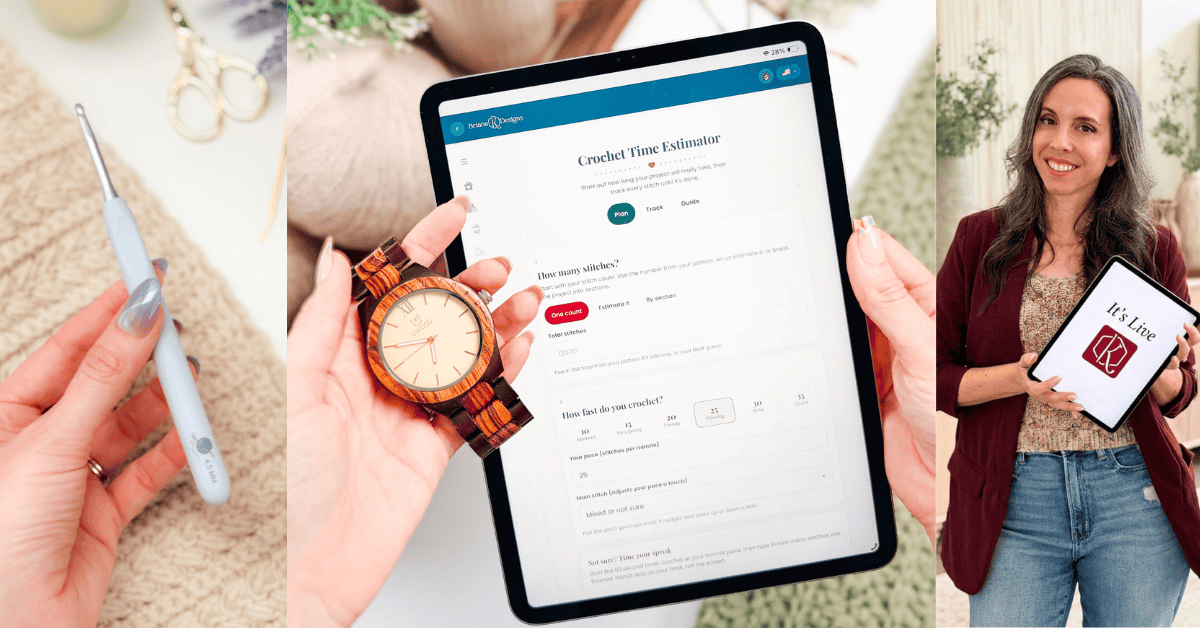
Open the Crochet Time Estimator in the Briana K App!
The trouble is that we estimate in vibes. A blanket feels like a few weeks. A sweater feels like a month. Neither of those feelings has anything to do with your actual stitch count or your actual speed.
So the Crochet Time Estimator does the boring part properly. You tell it how many stitches and how fast you work, and it tells you how many hours that really is, how many days that really is, and whether the deadline you have in your head is realistic.
Save for Later • Get a Summary • Pick Up Where You Left Off
What the Crochet Time Estimator does
Three tabs sit across the top: Plan, Track, and Guide.
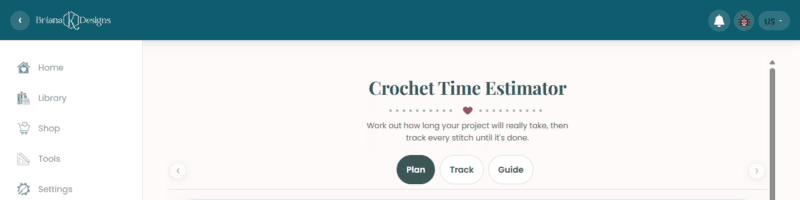
Plan is where you build your estimate. Track is where you log your progress once you have started. Guide explains the math, which I’ll cover further down because I think you should know where the number comes from.
Everything saves on your own device as you go, so your plan and your progress are waiting for you next time.
Step one: how many stitches?
The whole estimate rests on this number, and there are three ways to get it depending on how much you know.
One count
If your pattern gives you a total stitch count, or you have worked it out yourself, type it straight in. Simplest route, most accurate result.
Estimate it
If you have no idea, and most of us do not, pick your project type and size instead and let the tool ballpark it. Making a blanket? Choose Blankets and Home, then choose your preferred size. Here’s what it looks like with a 50 by 60 inch Throw chosen – roughly 34,440 to 49,560 stitches.
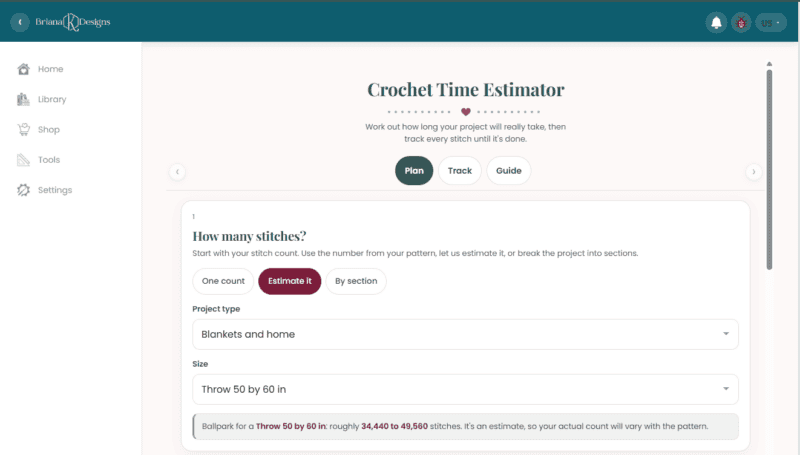
That wide range is on purpose, because your actual count shifts with the pattern and the stitch. It is a starting point, not a promise.
By section
This is the one worth knowing about for bigger makes. A sweater is not one speed. The colorwork yoke and the plain body are completely different jobs, and averaging them together gives you a number that is wrong in both directions at once.
Splitting the project into sections and giving each one its own stitch gets you much closer to the truth.
Step two: how fast do you crochet?
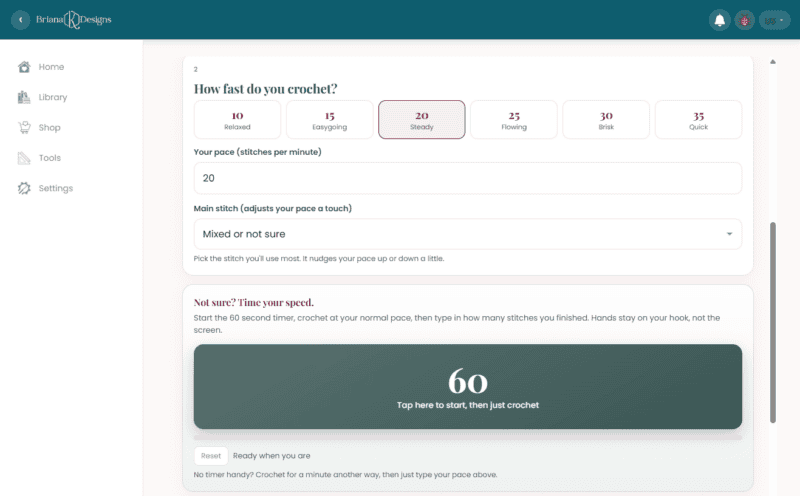
There are six preset paces to pick from, running from 10 stitches per minute at Relaxed up to 35 at Quick, with Steady and Flowing in the middle where most of us actually live.
You can also type your own number, and there is a dropdown for your main stitch which nudges the pace up or down a little depending on what you are working.
The 60-second timer, which is the part I would actually use
Guessing your pace is the weakest link in the whole calculation, so the tool gives you a way to stop guessing.
Tap the 60-second timer, crochet at your normal pace on the actual project, then type in how many stitches you finished. Your hands stay on your hook, not on the screen. That one minute gives you a pace measured on the yarn and the stitch you are genuinely using, which beats any preset.
If you would rather time yourself some other way, there is a note for that too. Crochet for a minute however you like, then type the number in.
Here, we’ve chosen a Steady pace of 20 stitches per minute.
What the estimate actually tells you
Tap Estimate my time to get a real answer rather than a vague one.
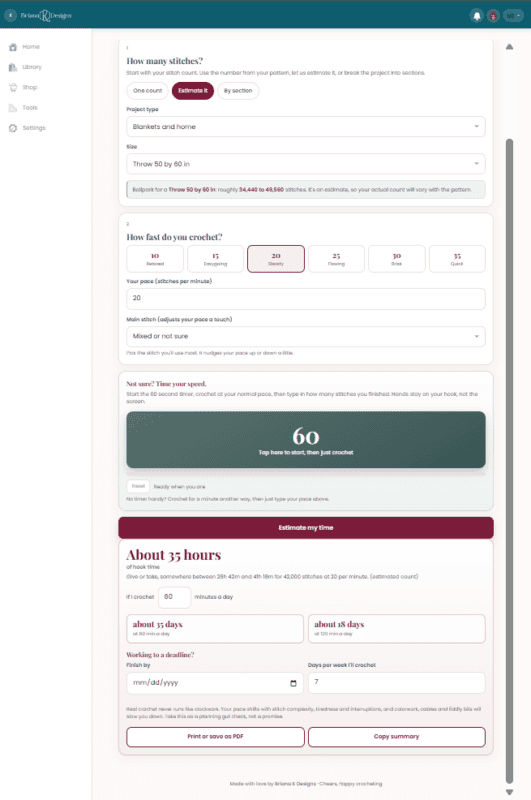
For that 50 by 60 throw at 42,000 stitches, working at 20 stitches per minute, it comes back at about 35 hours of hook time. The honest range around that is somewhere between 28h 42m and 41h 18m.
Then it converts hours into something you can actually plan with. Tell it how many minutes a day you crochet, and it works out the calendar. At 60 minutes a day, that throw is about 35 days. At 120 minutes a day, it is about 18.
Seeing it laid out like that is clarifying, and occasionally sobering.
Working to a deadline
Underneath the estimate there is a Finish by date field and a box for how many days a week you actually crochet, which is the honest question. Most of us do not stitch every single day.
Fill those in, and the tool tells you what your daily minutes need to look like to make it. Use this section in October, before you commit to six handmade gifts.
You can also print the whole thing as a PDF or copy a summary, which is useful if you are planning several projects at once and want them side by side.
The Track tab: watching the finish line move
Once you have an estimate, your project appears on the Track tab ready to go.
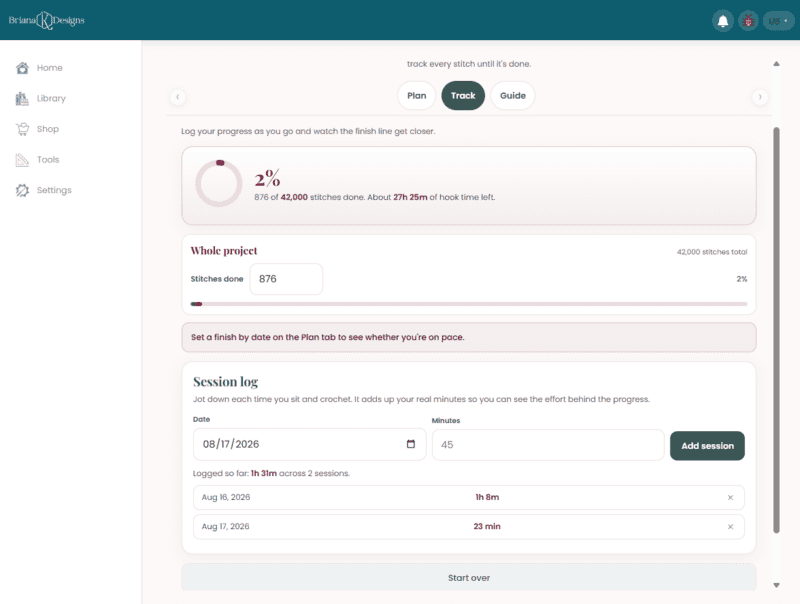
You log your stitches done as you work, and it shows you a percentage, a progress ring, and how many hours of hook time are left. Zero of 42,000 stitches done, about 28 hours to go, and it climbs from there.
If you set a deadline, it keeps checking your pace against it and tells you plainly where you stand. Something like: snug but doable; to hit 31 days away, you are looking at about 53 minutes a day from where you are now.
There is also a session log where you jot down the date and how many minutes you sat and crocheted. It adds up your real minutes, which does two things. It keeps the estimate honest and shows the effort behind the progress, which is worth seeing on projects that feel like they are taking forever.
Let’s say we’ve made 876 stitches so far. That’s 2% of our estimated project! Below, we added 2 crochet sessions (because we love a crochet sesh around here) to see how long it took us to make those stitches.
Where the numbers come from
I would rather you know the math than trust it blindly, and the Guide tab lays it out.
The estimate is simple on purpose. Your stitch count divided by your stitches per minute. The range around it is plus or minus 18 percent, because nobody crochets at exactly one speed for hours on end.
That range is the honest part. A single confident number would look more authoritative and be less useful.
What it cannot know
Real crochet does not run like clockwork, and the tool says so itself.
Your pace shifts with stitch complexity. It shifts when you are tired. It shifts every time someone talks to you, which, if you crochet in a room with other people, is constantly. Colorwork, cables, and fiddly bits will all slow you down more than you expect.
Take the number as a planning gut check, not a promise. That is the right way to use it, and it is still enormously more useful than guessing.
Join The Kindest Community
Join our vibrant community of crafters on Facebook today. Whether you enjoy crafting with others or simply have burning questions, we’ve got you covered – join us now!
Crochet Time Estimator FAQs
Is it free?
Yes. The tool is free, and so is the account you need to get into the app. You can find the app (also free!) here: http://stitch.brianakdesigns.com/
Do I need an account?
Yes, and it is free to set up!
How long does it take to crochet a blanket?
It depends on the size and how fast you work, which is exactly what the tool sorts out. For a sense of scale, a 50 by 60 inch throw comes in around 42,000 stitches, which at a steady 25 stitches per minute is roughly 28 hours of hook time. At an hour a day, that is about a month.
What if I do not know my stitch count?
Use the Estimate it option. Pick your project type and size, and the tool gives you a ballpark range to work from.
How do I find out how fast I crochet?
Use the built-in 60-second timer on the Plan tab. Crochet at your normal pace on your actual project, then enter how many stitches you managed. That is a far better number than picking a preset and hoping.
Does it save my project?
Yes. Your plan and your progress save on your own device, so you can come back and log your stitches as you go.
Can I use it for knitting?
The math is stitches divided by pace, so it works for any craft where you can count both. The project size estimates are built around crochet, so if you knit, use the One count option and enter your own number.
The rest of the free tools
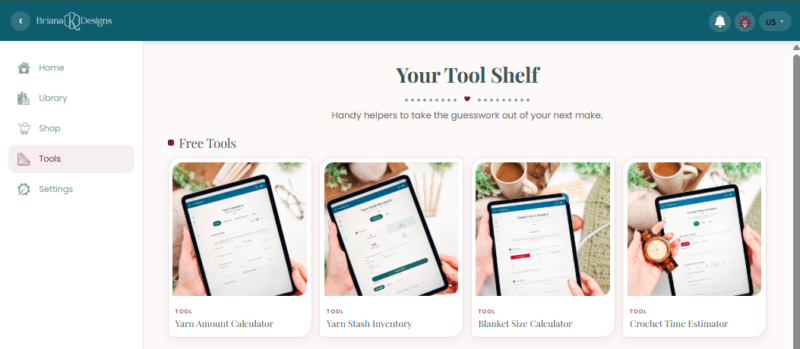
The Yarn Stash Inventory is one of four free tools in the app, and they work well together.
- Yarn Amount Calculator works out how much yarn a project needs, which pairs nicely with knowing what you already have. For more information, read How Much Yarn Do I Need?
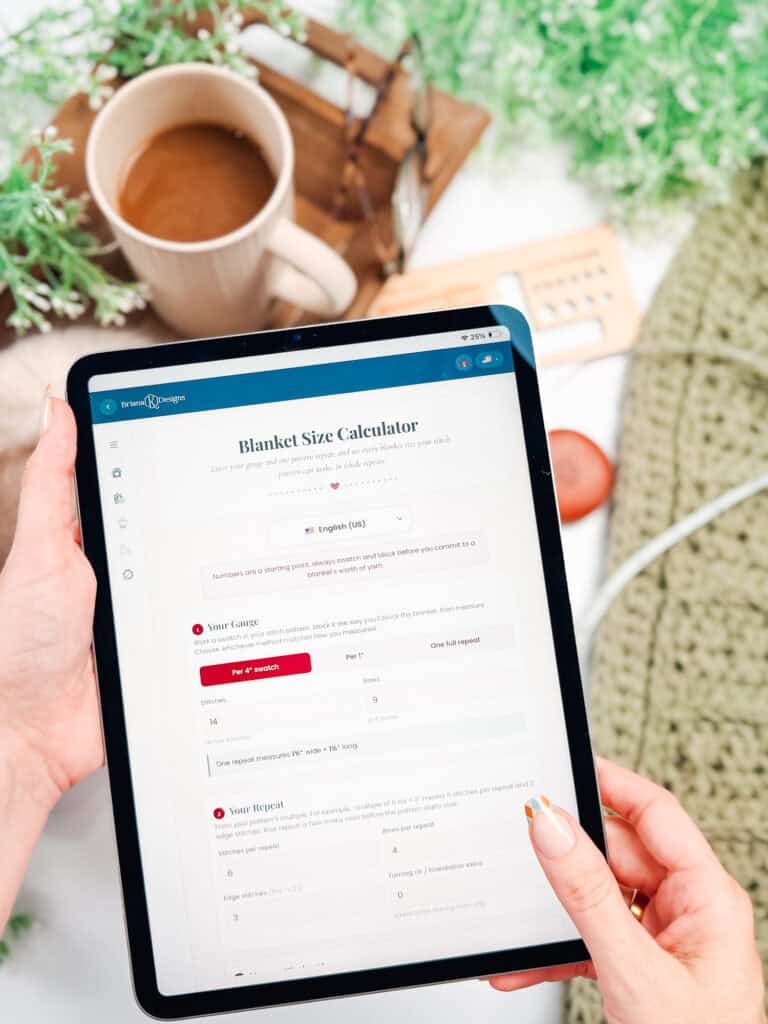
- Blanket Size Calculator sorts out your dimensions and stitch counts before you start.
- Yarn Stash Inventory keeps track of every skein you own, including dye lots and where you put them.
All four are free right in the app.
Go find out how long a project really takes: Crochet Time Estimator!
More Crochet Patterns You’ll Love
Have enough time to make one of these projects before the holidays?
🥂 Cheers, and happy crocheting!
This tool also lives in my crochet app, right alongside my patterns, a row counter and more free crochet tools. No subscription required.
Hook down? Not so fast…
I’d Love to See Yours!
You made something beautiful. Here’s how to keep it, show it off, and inspire the next maker.

What should you make next?
Keep the hook movingReaders Are Loving
 Tunisian Simple
 Best Beginner Hooks
 Mosaic Tips & Tricks
 How to Tie Slip Knot