

Here is what I know for certain after years of designing patterns: the yardage question never gets easier. It just gets more expensive to guess wrong.
Disclosure: This post contains affiliate links. Please read my disclosure for more info.
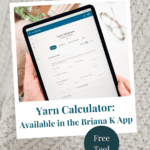
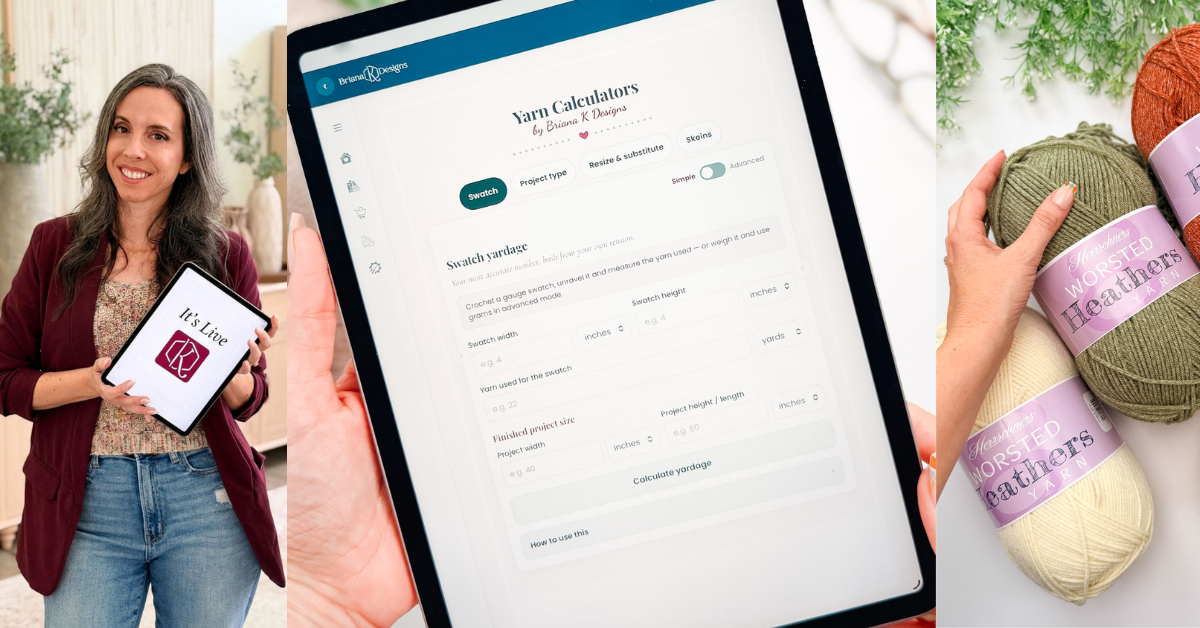
So I built the Yarn Amount Calculator into the app. It gives you four different ways to get an answer, because the right method depends on where you are in your project. Standing in the yarn aisle with nothing but a vague plan is a different problem than sitting at home with a finished swatch in your hand.
It is free, and it is one of four free tools in the app.
Open the Yarn Amount Calculator in the Briana K App!
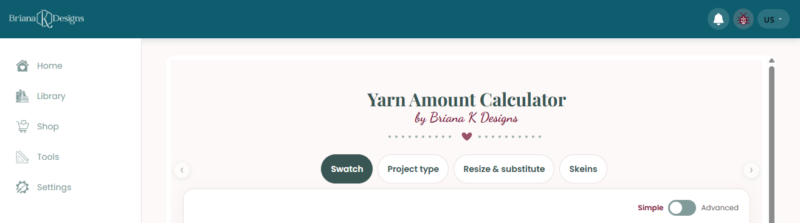
What the Yarn Amount Calculator actually does
The Yarn Amount Calculator lives inside the Briana K app alongside my other free tools. It runs in your browser, so you don’t need to download or install anything.
Across the top, you will see four tabs: Swatch, Project type, Resize and substitute, and Skeins. Each one solves a different version of the yardage problem. There is also a Simple and Advanced toggle on the right, which I will get to.
Every measurement field has its own unit dropdown, so you can work in inches or centimeters, yards or meters, whichever your yarn label uses. You do not have to convert anything yourself.
Every tab also has a “How to use this panel” section at the bottom. If you are ever unsure what a field wants from you, open that first.
Save for Later • Get a Summary • Pick Up Where You Left Off
Four ways to get your number
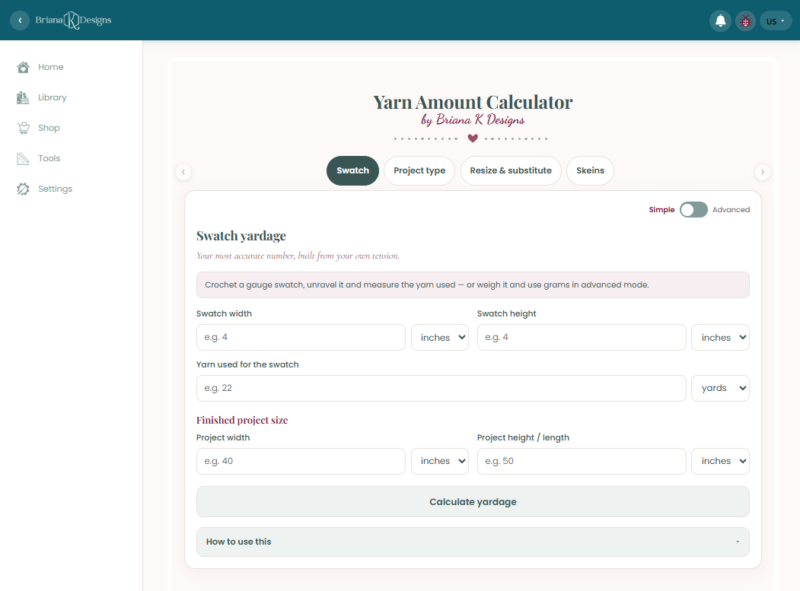
Swatch: your most accurate number
This one is built from your own tension, which is why it beats every generic chart on the internet. Two people can follow the same pattern with the same yarn and use noticeably different amounts because one crochets tight and the other crochets loose. A chart cannot know that about you. Your swatch can.
Here is how it works. Crochet a gauge swatch in the stitch you are planning to use. Measure it, then unravel it and measure how much yarn came out. If you would rather weigh the yarn in grams than measure it in yards, flip to Advanced mode and the calculator will take grams instead.
Then you tell it the finished size you are aiming for, and it scales your swatch up to your project.
Yes, unraveling a swatch you just made feels wrong. Do it anyway. It is fifteen minutes that can save you an entire skein of yarn you did not need or a frantic search for a discontinued dye lot.
Project type: the shopping ballpark
This tab is for the yarn aisle. You have not swatched, you might not even have the yarn yet, and you just need to know roughly how much to put in your cart.
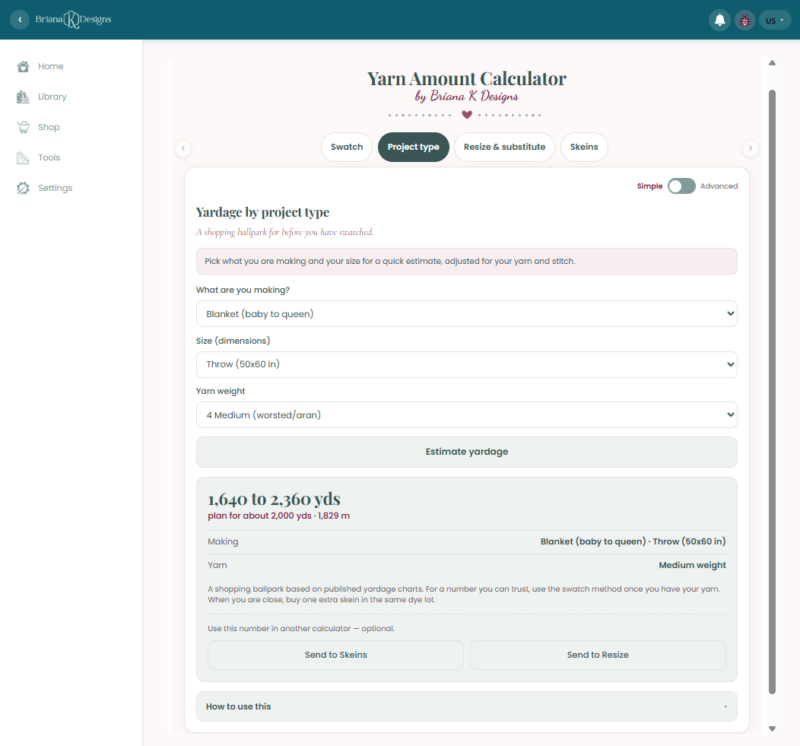
Pick what you are making from the dropdown, pick your size, pick your yarn weight, and hit Estimate yardage. A 50 by 60 inch throw in worsted weight, for example, comes back at 1,640 to 2,360 yards with a suggestion to plan for about 2,000.
The size list changes to match what you picked, which is a nice touch. Hats ask for head circumference, socks ask for shoe size, blankets ask for bed size. You are not converting anything in your head.
These numbers come from published yardage charts, adjusted for the yarn weight you picked. They are a starting point, not a promise. Once you have your yarn and a swatch, come back and run the Swatch tab for the real number.
For example, here’s what a 50 by 60 inch throw in worsted looks like when Simple is clicked:
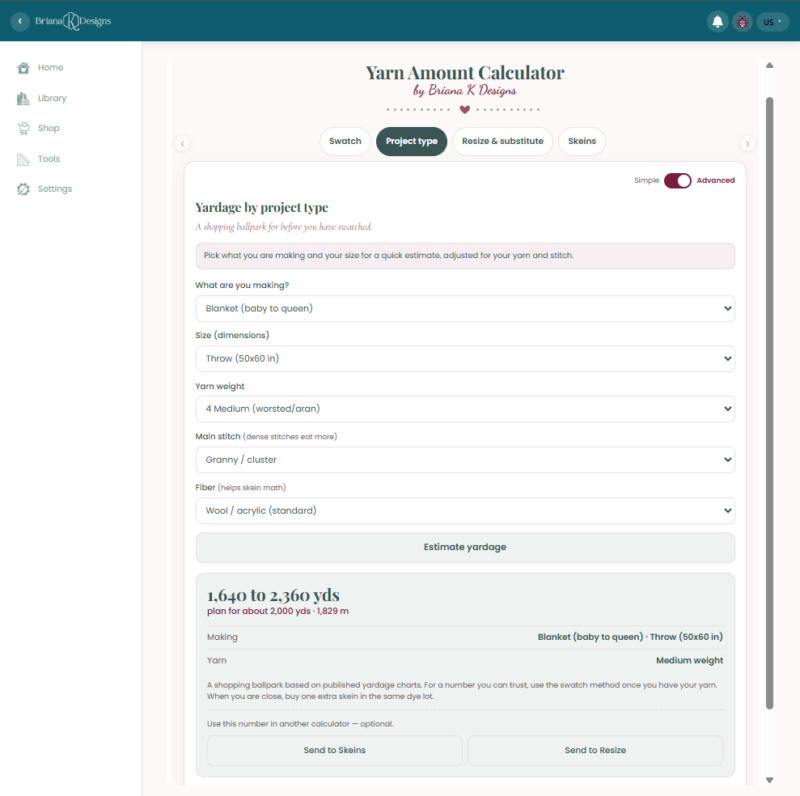
If you flip this tab to Advanced, you can also set your main stitch and your fiber, and both matter more than people expect. A dense stitch like single crochet or waistcoat can use 15 to 30 percent more yarn than an open mesh at the same finished size. Cotton and linen are heavier and less springy than wool, so the same yardage covers less ground.
Here’s an example of what a throw-sized blanket looks like under Advanced:
Resize and substitute: when something changes
Patterns rarely survive contact with real life untouched. You want the blanket bigger. The yarn the designer used has been discontinued. You found something you love more in a different weight.
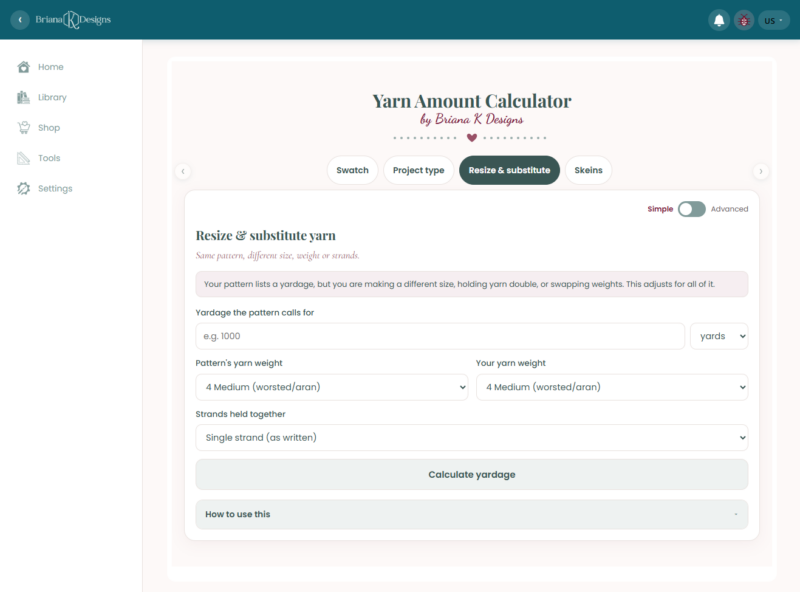
This tab starts from the yardage your pattern already lists. You enter that number, then tell it the pattern’s yarn weight and the weight of the yarn you are actually using, and whether you are holding a single strand or doubling up. It recalculates from there.
That last field is the one people forget. Holding two strands together doesn’t politely double your yardage, and if you work a pattern held double without adjusting, you will come up short. The calculator sorts it out for you.
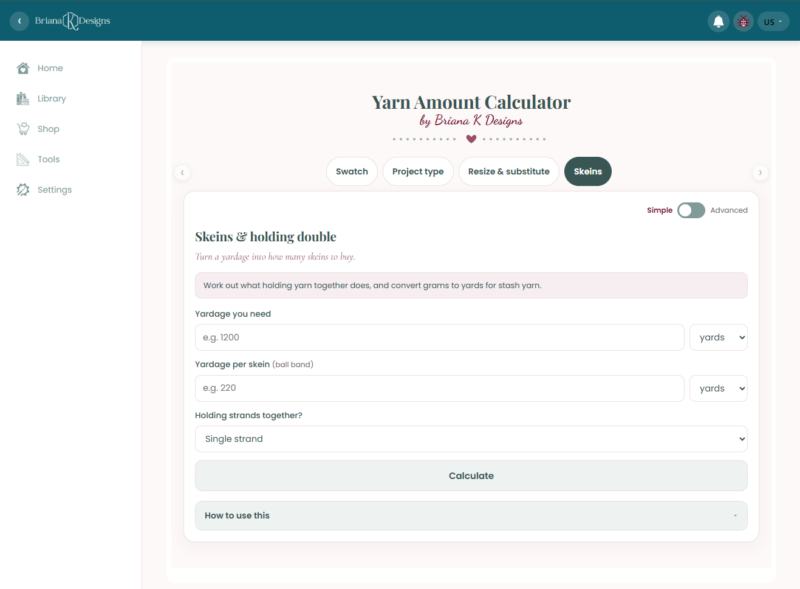
Skeins: turning yardage into a shopping list
Yardage is not what you buy. Skeins are what you buy.
This tab takes the number you got from any of the other tabs, asks for the yardage printed on your ball band, and tells you how many skeins that works out to. There is a strands field here too, so it also handles projects worked with yarn held together.
It is a small step, but it is where people slip up, usually by forgetting that 1,200 yards of a 220-yard yarn is six skeins, not five.
Round up. Always round up.
The tabs talk to each other
This is the part I would have wanted most back when I was doing this math by hand.
When a tab gives you a yardage number, it also gives you two buttons: Send to Skeins and Send to Resize. Tap one and your number carries straight over to that tab, already filled in. No writing it on a sticky note, no retyping it wrong.
So the whole flow works like this. Estimate your throw at 2,000 yards on the Project type tab, send it to Skeins, enter the yardage from your ball band, and you have a shopping list. Or send it to Resize if you are making it bigger than the pattern says or holding your yarn double.
Every other yarn calculator I have seen makes you be the go-between. This one does not.
Simple mode versus Advanced mode
A toggle is in the top right corner of every tab. Simple mode keeps the fields to a minimum and is where most people should stay. Advanced mode opens up extra inputs, and what those are depends on which tab you are on.
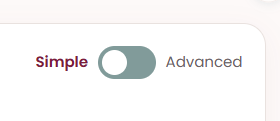
On the Swatch tab, Advanced lets you weigh your yarn in grams instead of measuring it by length. On the Project type tab, it lets you set your stitch and your fiber. Both are worth the extra thirty seconds when the project is big enough to matter.
If you own a small kitchen scale, use it. Weighing is faster and more precise than measuring a long tangle of unraveled yarn against a tape measure.
Which tab should you use?
- You haven’t bought yarn yet; use Project type.
- You have the yarn and have swatched it; use Swatch.
- If you’re changing the size or swapping the yarn in an existing pattern, use Resize and Substitute.
- You have a yardage number and need to know how many balls to buy, use Skeins.
Most projects use both, and the send buttons make it quick to move between them. You start with Project type to shop, come back to Swatch once the yarn is in your hands, then finish with Skeins to see whether you bought enough.
Why you get a range instead of one tidy number
You might notice the calculator hands you something like 984 to 1,416 yards rather than a single confident figure. That is deliberate.
Yarn consumption swings on things no calculator can see from where it is sitting. How tight you crochet. Whether the stitch you picked is dense or open. How much yarn disappears into color changes. Whether the fiber blooms after blocking. A single number would look more authoritative and be less honest.
So plan toward the middle of the range and buy toward the top.
Join The Kindest Community
Join our vibrant community of crafters on Facebook today. Whether you enjoy crafting with others or simply have burning questions, we’ve got you covered – join us now!
Three things the calculator cannot do for you:
I would rather tell you this up front than have you find out at row 200.
- It cannot account for your stitch pattern precisely. A dense single crochet fabric eats far more yarn than an open mesh at the same finished size. The swatch method handles this, because you swatch in the stitch you are using. The chart-based estimates do not.
- It cannot save you from dye lots. Buy all your yarn at once, from the same dye lot, and buy one more skein than you think you need. Returning an unopened skein is easy. Matching a dye lot six weeks later is not.
- It cannot swatch for you. I know. I have looked for a workaround for years, and there is not one.
Yarn Amount Calculator FAQs
Is the calculator free?
Yes. It is one of four free tools in the app, and there is no charge to use it. You can find the app (also free!) here: http://stitch.brianakdesigns.com/
Does it work for knitting too?
The swatch method works for any craft, because it is pure math on the yarn you actually used. The project type estimates are built around crochet, and crochet generally uses more yarn than knitting for the same finished size, so a knitter using that tab should treat the result as generous.
Can I use it on my phone?
Yes. It works on a phone, a tablet, or a laptop. Most people I know are standing in a store when they need it, so it had to work on a phone.
How much yarn do I need for a blanket?
It depends on the size and the yarn weight, which is exactly why the calculator exists. To give you a sense of scale, a 50 by 60 inch throw in worsted weight comes back at 1,640 to 2,360 yards, with 2,000 as the number to plan around. Pick Blanket on the Project type tab, choose your size, and you will have your own answer in about ten seconds.
What if I already started and I think I am running short?
Measure what you have made so far, weigh or measure the yarn it took, and treat that as your swatch. Enter those numbers into the Swatch tab with your target finished size, and you’ll quickly know whether you need more yarn. Then go looking for that dye lot immediately, not next week.
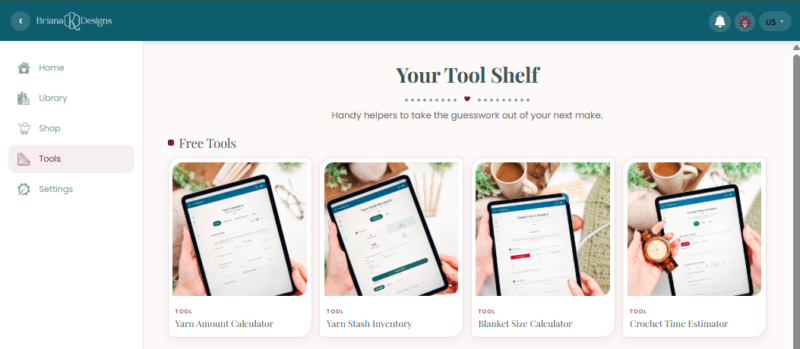
The rest of the free tools
The Yarn Amount Calculator is one of four free tools in the app, and they are built to work together.
- Yarn Stash Inventory tracks what you already own, so you can see when you’ve bought the same colorway three times.
- Blanket Size Calculator sorts out your dimensions and stitch counts before you start.
- Crochet Time Estimator tells you whether that gift blanket can realistically be finished before the holiday.
All four are free right in the app.
Go run your numbers: Yarn Amount Calculator!
More Crochet Patterns You’ll Love
Looking for a project to test your new tools on? I can hook you up!
🥂 Cheers, and happy crocheting!
This tool also lives in my crochet app, right alongside my patterns, a row counter and more free crochet tools. No subscription required.
Hook down? Not so fast…
I’d Love to See Yours!
You made something beautiful. Here’s how to keep it, show it off, and inspire the next maker.

What should you make next?
Keep the hook movingReaders Are Loving
 Tunisian Simple
 Best Beginner Hooks
 Mosaic Tips & Tricks
 How to Tie Slip Knot