



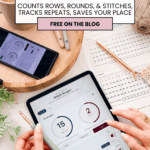

I was six rows into a 4-row repeat, dead certain I was on repeat two, when I realized the numbers didn’t add up. I’d lost count somewhere back near the couch cushions, and there was no way to find my place except to rip it all back and start the section over. If you’ve ever done that, you know the specific rage of it. That’s the whole reason I built the Stitch Keeper: a dead-simple counter that lives right here on the blog, saves your spot even if you close the tab, and doesn’t make you dig a physical clicker out from between the couch cushions.
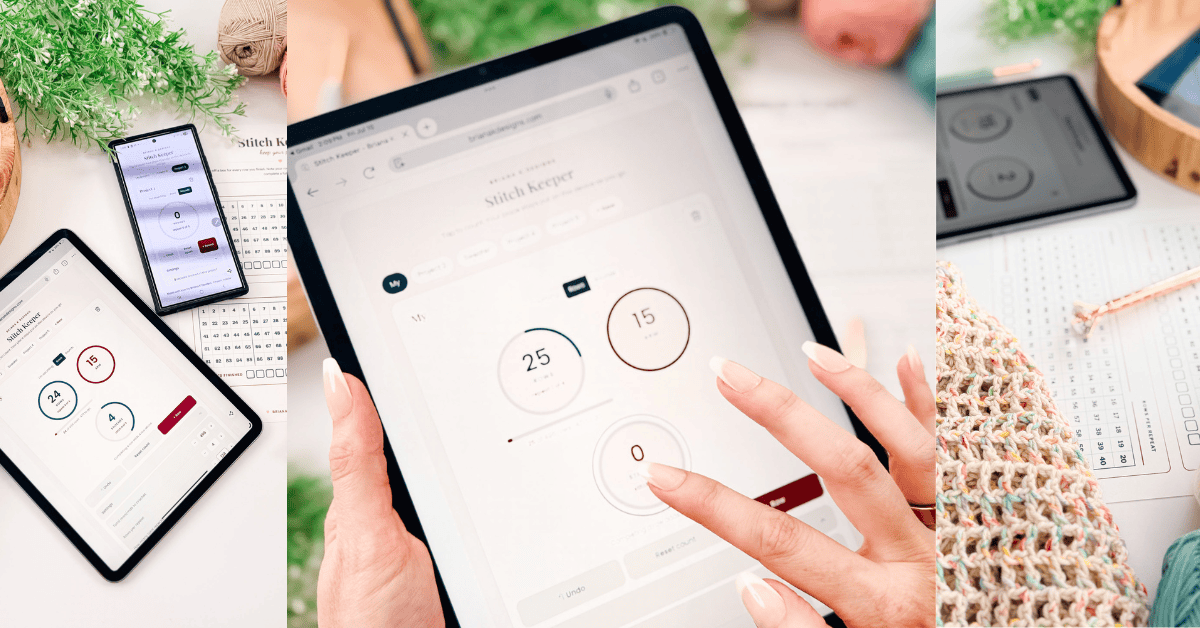
I’ve been designing and testing crochet patterns for years, which means I’ve lost count more times than I’d like to admit, and I’ve tried just about every counter out there. Physical clickers that roll off the chair’s arm. Apps that want you to make an account before you can count to ten. Other apps so buried in ads you can’t find the plus button. The Stitch Keeper is my answer to all of it. It’s free, it counts stitches, rows and rounds, and repeats, it works for crochet and knitting, and you don’t have to install a single thing.
This tool runs on yarn and good vibes. Clicking below keeps it going.
If it saved you a headache, clicking below is the easiest way to say thanks.
Big idea brewing? Caught a bug in the act?
We’d love to know. Your notes help the Crochet Companion grow.
Video Tutorial For This Cool Crochet Tool
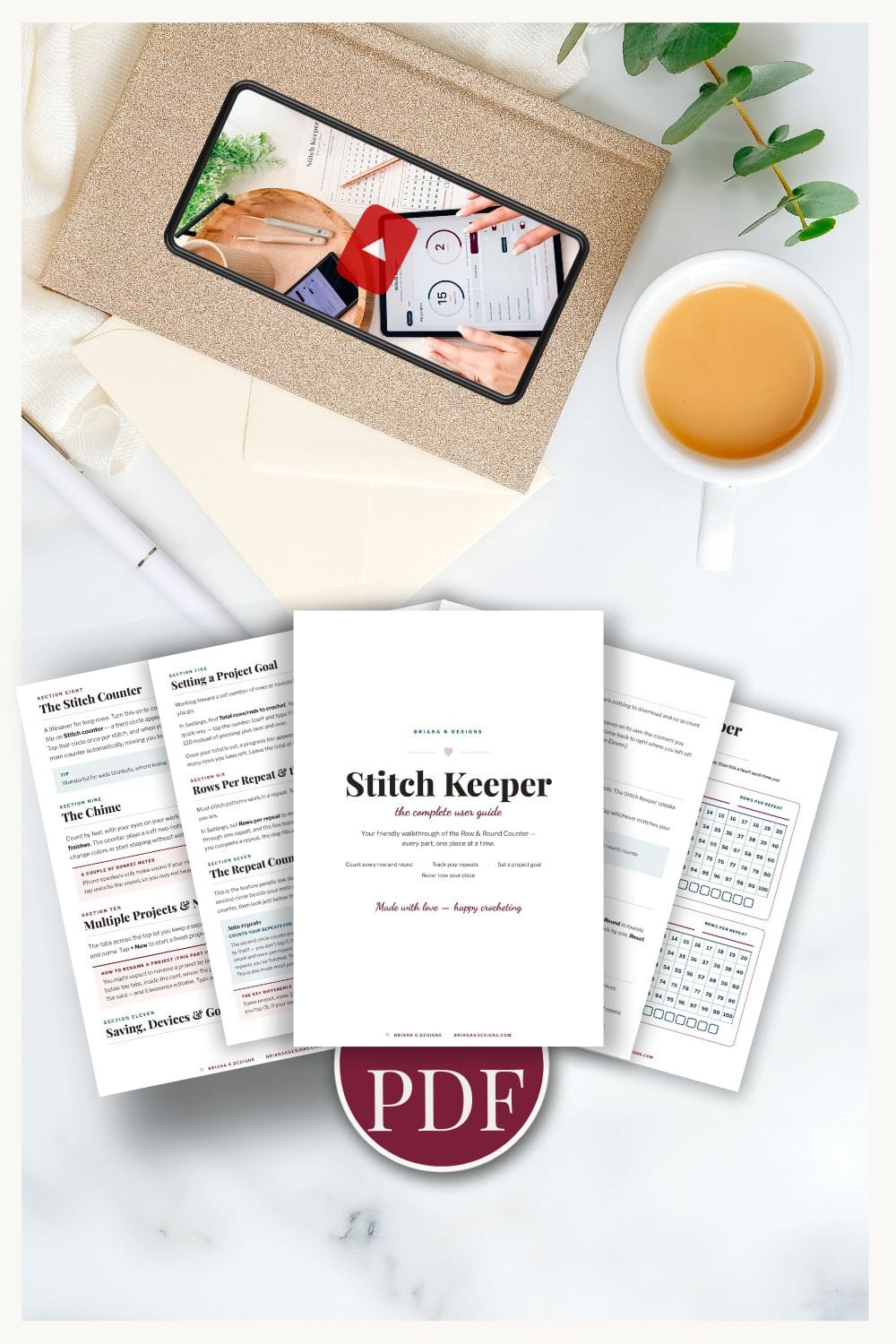
Relax & Crochet with No Ads
Go Distraction Free
Beautifully formatted to print and take with you anywhere. The paid version includes:
How to Use the Stitch Keeper (Crochet Stitch Counter)
The whole point of this tool is that you shouldn’t need instructions. But here’s everything it does, so you can get the most out of it.
Tap to Count a Row or Round
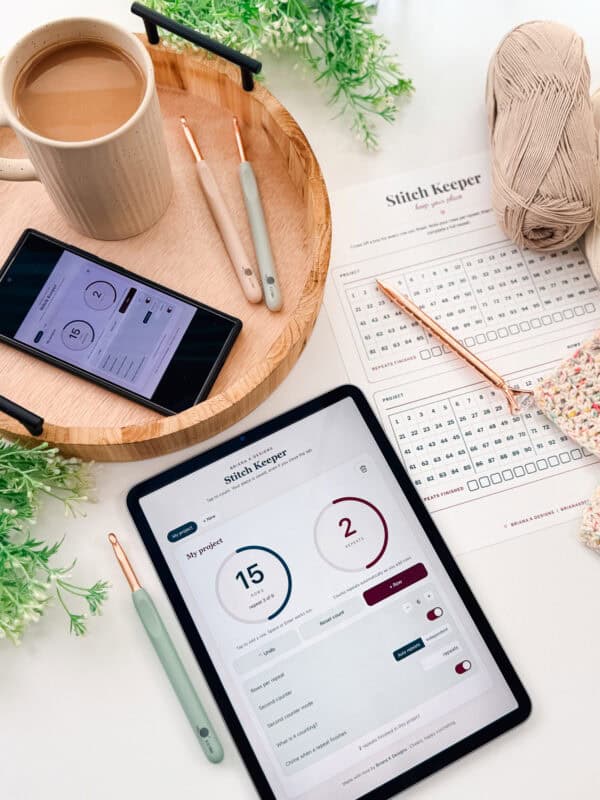
Tap the big circle in the middle, and the number increases by 1. That’s the core of it. You can also press the “+ Row” button or tap your Space bar or Enter key if you’re at a computer. Every tap counts one row (or one round, or one stitch, whatever you’re tracking). Do it once per row as you finish, and the running total sits right there in the middle where you can see it.
Count Stitches, Not Just Rows
Same tool, same tap, different job. Counting the stitches in a single row works exactly like counting rows: one tap per stitch, and the number climbs. This is the thing that saves your foundation chains and setup rows, the spots where one miscounts three stitches back throws off everything built on top.
Set the “Stitches per row” number to match your pattern, and the ring fills as you tap toward your target. Working a row of 120? Set it to 120, tap as you go, and the tool tells you when you’ve hit it. No re-counting from the beginning because your phone buzzed at stitch 80. When the row’s complete, reset and start the next one, or switch the counter back to tracking rows. It’s all the same principle: tap to count, and let the tool hold the number so you don’t have to.
Your Place Saves Automatically
This is the part I’m proudest of. The Stitch Keeper remembers your count on its own. Close the tab, shut your laptop, set your phone down, and walk away for three days. When you come back and reopen the page, your count is exactly where you left it. No account. No login. No “save” button to remember to press.
One note so nothing surprises you: it saves your count in the browser you’re using, on the device you’re using. So the count on your phone and the count on your laptop are two separate counts, and they don’t sync. And if you clear your browser history or use a private/incognito window, the saved count won’t carry over. For 99% of us, counting one project on one device makes this invisible. But I’d rather tell you than have you lose count and wonder why.
Set Your Rows or Rounds Per Repeat
Here’s where this counter earns its keep. Most stitch patterns work in a repeat: a 4-row repeat, a 6-row repeat, and so on. Set the “Rows per repeat” number to match your pattern, and the ring around the circle fills up as you work through one repeat. When you finish the repeat, the ring completes, flashes, and the counter tallies it in the “repeats finished” count at the bottom.
So instead of doing math in your head (“okay, if I’m on row 27 and it’s a 4-row repeat, that means I’m on repeat…”) the tool just tells you: repeat 2 of 4. You always know where you are in the pattern, not just how many total rows you’ve done.
Run Multiple Projects at Once (and Name Them So You Don’t Mix Them Up)
This is the feature that saves you when real life happens, because almost nobody is working on just one project at a time. See the row of tabs across the top of the counter, above the main circle? Each tab is its own separate project. Its own count, its own rows-per-repeat and stitches-per-row settings, its own chime setting. Nothing carries over from one to the next, so your hat count and your blanket count never bump into each other.
To start a new project, tap the “+ New” tab. A fresh counter opens up, set to zero and ready to go. You can make as many as you need. One for the cardigan you’re actually supposed to be finishing, one for the scarf you cast on anyway, one for the dishcloth you’re using to procrastinate on both.
Here’s the part that matters most, and the part people skip: name your projects. When a new project opens, tap the project name at the top of the card (it starts as a placeholder, such as “My project” or “Project 2”) and type whatever you want. “Blue baby blanket.” “Mom’s Christmas hat.” “The sweater that’s fighting me.” The name saves the second you type it, and it shows up right on the tab, so when you come back tomorrow, you know at a glance which count belongs to which make. If you don’t name them, you’ll end up staring at “Project 2” and “Project 3” with no idea which is the hat, and you’re right back to guessing, which is the whole thing we’re trying to avoid.
To switch between projects, just tap the tab you want. The counter instantly shows the project’s count, its repeat setting, everything exactly where you left it. And because every project saves on its own, you can close the tab entirely, come back next week, and all of them are still sitting there waiting, named and counted.
When you’re truly done with a project and want to clear it out, tap the little trash icon on its card. It’ll ask you to confirm first, so you can’t delete a count by accident.
Turn On the Chime
There’s a little toggle for “Chime when a repeat finishes.” Flip it on, and the counter plays a soft two-note sound every time you complete a repeat. This is genuinely useful when you’re watching TV or looking at your work rather than at the screen. You count by feel, and the chime tells you when a repeat is done so you know it’s time to change something (switch colors, start shaping, whatever your pattern calls for).
Run Multiple Projects at Once
See the tabs across the top? Each one is a separate project with its own count, rows-per-repeat, stitches-per-row, and settings. Working a hat and a blanket in the same week? Give each its own tab. Tap “+ New” to start a fresh one, and name it whatever you like so you can tell them apart. Your counts don’t get tangled up, and every project saves on its own.
Undo and Reset
Double-tapped by accident? Hit “Undo,” and it steps the count back by one. Finished a project and want to start the tab over? “Reset count” zeros it out (it asks you to confirm first, so you can’t wipe a count by fat-fingering a button). And the little trash icon deletes a whole project tab when you’re truly done with it.
Join The Kindest Community
Join our vibrant community of crafters on Facebook today. Whether you enjoy crafting with others or simply have burning questions, we’ve got you covered – join us now!
How to Count Rows in Crochet
A counter only helps if you know what you’re counting. Counting rows in crochet trips up a lot of beginners because a “row” doesn’t always look like an obvious line. And knowing how to count these rows is crucial when you want to add a border or a Straight Edge to your project. Here’s how to read your fabric.
In most flat crochet, each row is a horizontal line of stitches, and you count the rows by counting those lines from your foundation up to your hook. The trick is knowing where one row ends and the next begins, and that changes a little depending on the stitch you’re using.
Counting Single Crochet Rows
Single crochet creates a dense, tight fabric in which rows can be hard to separate by eye. Look at the side edge of your work. Each single crochet row creates a small bump, or “bar,” along the edge. Count those bumps up the side, and you’ve got your row count. Counting on the edge is usually easier than counting the little V’s across the face of the fabric, which blur together in single crochet.
Counting Double Crochet Rows
Double crochet is taller, so the rows are much easier to see. Each row is a clear band of tall stitches. You can count the bands straight up the front of your work. One thing to decide up front and stay consistent about: whether your beginning chain counts as a row or a stitch. Pick one interpretation, count it the same way every time, and your numbers will stay honest. This is exactly the kind of thing the Stitch Keeper saves you from re-counting.
How to Count Rounds in Crochet
Rounds work differently than rows, and that trips up plenty of crocheters who learned to count rows first. Instead of turning your work at the end of a line, a round wraps all the way around a piece, whether that’s a granny square, an amigurumi ball, or a hat worked from the crown down. Here’s how to keep track of where you are.
Continuous (Spiral) Rounds
Amigurumi and many hats are worked in a continuous spiral, meaning you never join or chain up between rounds. That’s convenient for a seamless look, but it also means there’s no obvious marker showing where one round ends and the next begins. The fix is a stitch marker: drop one into the first stitch of a round, and move it up into the first stitch of the new round every time you come back around to it. Without a marker, it’s nearly impossible to tell where a round starts, which is exactly why this style of counting benefits from tapping the Stitch Keeper once per round as you pass your marker, rather than trying to eyeball it later. (The Be My Bunny is worked in continuous rounds.)
Joined Rounds
Other patterns, like traditional granny squares or anything worked flat in the round, join each round with a slip stitch and start the next one with a chain (often called a “turning chain” or “starting chain,” even though you’re not turning your work). The join and the chain give you a visual seam, a small diagonal line, that marks the end of one round and the start of the next. Count up the seams from your center to see how many rounds you’ve completed, and tap the counter each time you finish a join so you’re not left recounting the whole stack later. (An example of a project worked in joined rounds is the Wheat Stitch Water Bottle Holder.)
Rounds vs. Repeats
Don’t confuse a round with a repeat. A round is one full pass around your work, while a repeat might span several rounds (a colorwork chart repeated every 4 rounds, for example). If your pattern calls for both, set the Stitch Keeper to count rounds as you go and use “Rows per repeat” to track the larger repeat, exactly the way you would with rows.
How to Count Stitches in Crochet
Rows tell you how tall your piece is. Stitches tell you how wide, and getting the stitch count right on a row is what keeps your edges straight instead of wavy. My Braided Wheat Stitch Blanket is a great piece for practicing! Lots of people send messages asking why their rows aren’t flat.
Across the top of your work, each stitch makes a little “V” shape, and that’s what you’re counting. Point at the first V, count one, and move across the row, one V per stitch, until you reach the end. The two places this matters most are your foundation chain (count the V’s along the chain before you start) and the first row after it, where a single missed or extra stitch sets the width for everything above.
One habit that saves you: decide whether your turning chain counts as a stitch, then count it the same way every single time. Consistency matters more than which rule you pick. And any time you lose your place partway across a long row, that’s exactly what the Stitch Keeper is for. Tap once per stitch, and let the tool maintain the count so you don’t have to restart it.
How to Track Pattern Repeats (Not Just Rows)
This is the feature nobody else’s counter explains well, so here’s the real use case. A lot of patterns aren’t “crochet 40 rows.” They’re “work the 4-row repeat 10 times (like the Petal Loop Stitch Blanket).” Those are different jobs, and counting total rows doesn’t actually tell you where you are in the pattern.
Say your pattern is a 6-row repeat. Set “Rows per repeat” to 6. Now, as you tap, the ring shows you your progress through the current repeat, and the tally at the bottom shows how many complete repeats you’ve finished. When you need to work the repeat eight times total, you watch the “repeats finished” number, not the raw row count. It takes the mental math out entirely, which matters most exactly when you’re tired and most likely to lose your place.
This works beautifully for textured stitch patterns, colorwork rounds, granny square rounds, and anything where the instruction is “repeat until.” Tell the counter your repeat length once, then let it handle the tracking. The Regency Flat Cardigan is a perfect example of this kind of pattern.
Does This Work as a Knitting Row-and-Stitch Counter, Too?
Yes. A row is a row (round is a round) and a stitch is a stitch, whether you made it with a hook or two needles. Knitters can use the Stitch Keeper exactly the same way: tap to count each row and stitch, set your rows-per-repeat to match your stitch pattern, and let it chime when a repeat finishes. It’s just as happy tracking a stockinette body, a lace repeat, or a colorwork chart as it is tracking crochet.
If you knit and crochet both (a lot of us do), the multiple-project tabs mean you can keep a knitting project and a crochet project going side by side without their counts ever crossing.
Subscribe & Like
Digital vs. Physical Stitch Counters: Which Should You Use?
I own physical counters. I still use this one more. Here’s the honest comparison so you can decide.
Physical clicker counters and the little ring counters you wear on your finger have real advantages: no screen, no battery to die, and you can use them completely by feel. If you hate having a screen near your project, or you’re counting somewhere you don’t want a phone out, a physical counter is a fine choice.
Where they fall down: they only count one thing at a time, so tracking rows, stitches, and repeats means juggling separate tools or doing the math yourself. They roll off the couch, and if you knock one, you’ve lost your place with no undo. A digital counter like the Stitch Keeper tracks all three automatically, holds as many projects as you want, lets you undo a mistake, and saves your place with zero effort. It’s also free and always in your pocket, because it’s just a web page. My take: keep a physical counter for the projects where you want to go fully screen-free, and use the Stitch Keeper for everything else, especially anything with a repeat or a stitch count you can’t afford to lose.
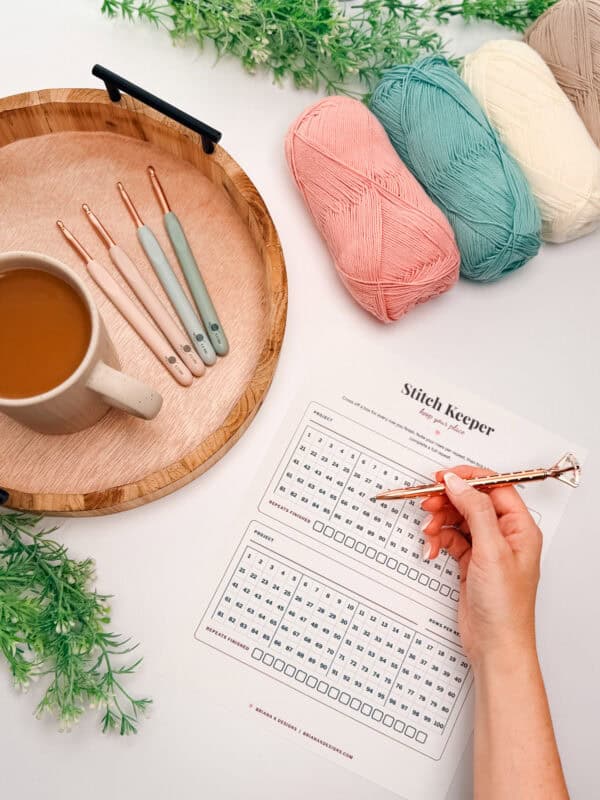
Tired of Screens? Log Off. Hook In.
Your phone can wait. The Free Crafters Library is full of printable goodies to keep your hands busy and your notifications ignored. Drop your email, get the password, start printing.
Why Your Count Keeps Getting Lost (and How to Stop It)
If you’re constantly losing your place, it usually isn’t you. It’s the method. A few things that actually help.
Count in one consistent moment. Decide that you tap the counter the instant you finish a row, every single time, before you do anything else. Losing count almost always happens in the gap between finishing a row and remembering to record it.
For long stitch counts, set your target and tap as you go. If you’re working a foundation chain or a wide row, don’t count the whole thing at the end and hope. Set your “stitches per row,” then tap once per stitch as you make it. A single interruption can’t cost you the count, because the number’s already recorded up to wherever you stopped.
Use the repeat tracker instead of counting to big numbers. It’s far easier to know you’re on “repeat 3 of 10” than to hold “row 27” in your head. Big raw numbers are where the brain slips.
Stop relying on memory for the “I’ll remember” moments. You won’t. I won’t either. That’s not a flaw; it’s just how attention works when you’re relaxing into a project. Let the tool hold the number so your brain doesn’t have to.
Turn on the chime for long repeats. If you tend to blow past the end of a repeat, the sound catches it before you’re three rows deep into a mistake.
Want a crochet counter app that lives right inside your patterns? In my crochet pattern app, your pattern is sized for you and every row ticks off as you go, plus four free crochet tools. No subscription required.
Stitch Keeper FAQs
Is the Stitch Keeper really free?
Yes, completely free, and there’s nothing to install and no account to create. It’s a tool I built for my own crocheting and wanted to share. Just open the page and start counting.
Will it save my count if I close the tab?
Yes. Your count is saved automatically in your browser and will be there when you come back, even after you close the tab or shut down your device. The one thing to know: it saves per browser and per device, so your phone count and your computer count are separate, and clearing your browser data or using a private window will clear the saved count.
Can I count more than one project at the same time?
Absolutely. Use the tabs at the top to create a separate counter for each project. Every project keeps its own count, rows-per-repeat setting, and chime setting, and they all save independently.
Can I use this to count rounds as well as rows?
Yes. Above the counter, there’s an “I’m counting” toggle where you can switch between Rows and Rounds anytime, so if your pattern starts flat and moves into rounds (or you just prefer to label it accurately), you’re not stuck with the wrong term. Tap once per round the same way you would for a row, and the repeat tracker keeps working exactly the same, whether you’re tracking rows or rounds.
Can I use it as a stitch counter, not just a row counter?
Yes, and it works exactly the same way. Tap once per stitch instead of once per row, and set your “stitches per row” so the tool tells you when you’ve hit your target. It’s the same counter doing a different job, which is handy for foundation chains and wide setup rows where one miscount throws off everything above.
Does it work on my phone?
Yes. The Stitch Keeper works right in your phone’s browser, so you can count with the same hand you’re not holding your hook with. No app store, no download. If you want it handy, you can bookmark the page or add it to your home screen.
Can I count with my keyboard?
Yes. If you’re at a computer, your Space bar or Enter key taps the counter, so you can keep one hand free for your work. It counts the same whether you tap the circle, press the button, or use the keyboard.
Can I use it for knitting?
Yes. It counts stitches and rows, and repeats the same way for knitting as for crochet. Set your rows-per-repeat to match your knitting pattern and count away.
What if I tap by accident?
Hit the “Undo” button, and it steps your count back by one. If you want to clear a project completely, “Reset count” zeros it out and asks you to confirm first, so you can’t wipe your progress by accident.
Does the counter work offline?
Once the page has loaded, the counting itself runs in your browser, so brief drops in connection won’t lose your count. Your saved count lives on your device, not on a server you have to stay connected to.
More Crochet Resources You’ll Love
If you’re working on your counting and gauge, these will help:
- What Is Crochet Gauge and How to Fix It
- Crochet Skill Levels Explained
- How to Crochet the Stacked Single Crochet
Start Counting
Scroll up, tap the circle, and let the Stitch Keeper hold your place so you never have to rip back a row or repeat again. Set your stitches-per-row and rows-per-repeat, name your project, and it’ll remember exactly where you are the next time you sit down to work.
If it saves you even one frustrated frogging session, it did its job. Come find me in the Briana K Community on Facebook and tell me what you’re making. I love seeing it.
Happy crocheting, friend. Clink, clink! Cheers!
Briana K

Your privacy: Everything you type with the crochet tools on this blog saves only in your own browser, never to my site. I do not collect it, see it, or store it. Clearing your browser data clears your saved work, so use Export to keep a backup.
Hook down? Not so fast…
I’d Love to See Yours!
You made something beautiful. Here’s how to keep it, show it off, and inspire the next maker.

Keep the hook movingReaders Are Loving
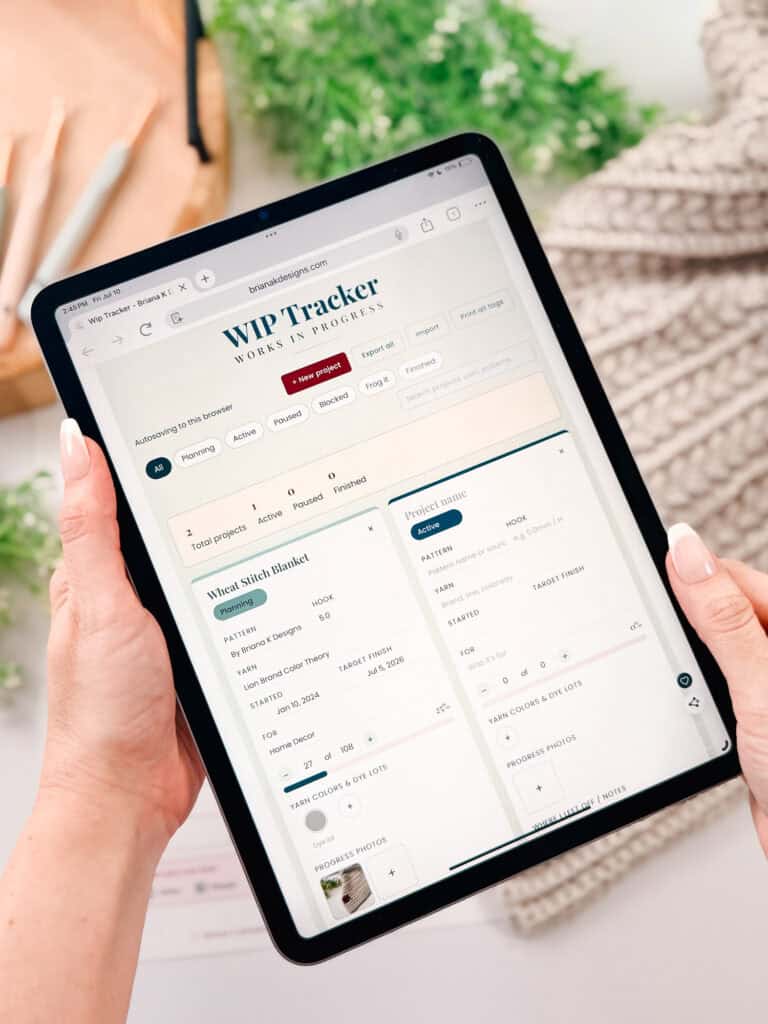
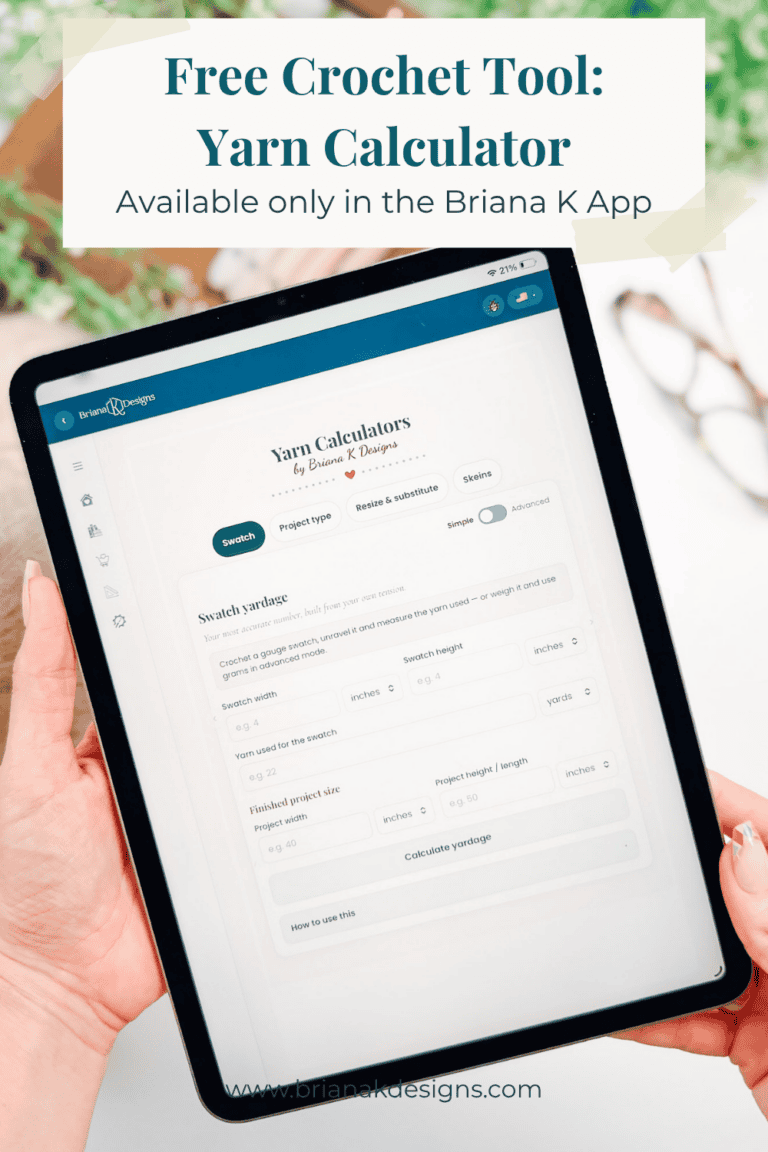 Yarn Calculator
 Willow Mesh Bag
 Wheatfield Sun Hat
 Stretchy Edging